
Stay Compliant & Beat Burnout: The Ultimate Notion Right to Disconnect Template for SMBs
New 'right to disconnect' laws are reshaping how we work. For small and mediumsized businesses, this presents a challenge: how to stay compliant and productive without burning out your team. This guide provides a free, stepbystep Notion template to create a central company hub that clarifies communi


New 'right to disconnect' laws are reshaping how we work. For small and medium-sized businesses, this presents a challenge: how to stay compliant and productive without burning out your team. This guide provides a free, step-by-step Notion template to create a central company hub that clarifies communication policies, manages asynchronous tasks, and sets clear boundaries for after-hours work.

Key Takeaways: Build Your Disconnect Policy in Notion
- Duplicate our free Notion template to create a single source of truth for your company's communication policies.
- Clearly define 'work hours' and set expectations for response times across different channels (e.g., Slack vs. email vs. phone).
- Shift from real-time to asynchronous task management using Notion's databases to reduce the pressure for immediate replies.
- Involve leadership from the start; their buy-in and modeling of disconnect behaviors are crucial for company-wide adoption.
- Establish a feedback loop to regularly review and adapt your policy based on team experience, productivity metrics, and well-being surveys.
- Formalize an 'emergency contact' protocol to ensure critical issues are handled without disrupting everyone's off-hours.

Table of contents
- What Is a ‘Right to Disconnect’ Policy?
- Why Use Notion as Your Company's Policy Hub?
- Core Components of a Disconnect Policy Hub (Template Architecture)
- Step-by-Step: Setting Up Your Free Communication Template
- Defining Your Communication Rules and Response Times
- Implementing Asynchronous Workflows to Reduce Urgency
- A Guide for Managers and Employees on Setting Boundaries
- How to Successfully Roll Out Your New Policy to the Team
- Measuring Success and Iterating on Your Policy
- Understanding the Legal Landscape and Global Trends
- Conclusion and Next Steps
- Frequently asked questions
- Additional Resources
What Is a ‘Right to Disconnect’ Policy?
A 'right to disconnect' policy grants employees the legal or contractual ability to refrain from engaging in work-related communications, such as emails or messages, outside of their established working hours. This concept has gained significant traction globally, originating in countries like France and being adopted or considered by nations such as Spain, Ireland, and Canada (specifically Ontario). Implementing such a policy is crucial for small and medium-sized businesses to combat employee burnout, alleviate anxiety, and foster a healthier work environment, which in turn improves overall well-being and retention. It's important to clarify that this policy doesn't prohibit all after-hours work but rather sets clear expectations and removes the implicit obligation for employees to be constantly available.
For instance, a company might define "normal working hours" as 9 AM to 5 PM. A 'right to disconnect' policy would then stipulate that employees are not expected to respond to emails or Slack messages received after 5 PM until the start of the next working day, unless it falls under a pre-defined emergency protocol.

Why Use Notion as Your Company's Policy Hub?
Notion serves as an ideal platform for centralizing your company's 'right to disconnect' policy because it offers a flexible, all-in-one workspace. It acts as a single source of truth, ensuring that every team member accesses the most current and accurate policy information, reducing confusion and misunderstandings. The platform's adaptability allows you to integrate policy documents, task management databases, and communication guidelines seamlessly, all within a connected environment that is easily navigable for all users.
Moreover, Notion's accessibility features make it simple for employees to find the information they need, while administrators can effortlessly update policies as your company evolves. Integrations with other tools, like Slack status updates, can further enhance the policy's effectiveness. The collaborative nature of Notion also facilitates the development and iteration of your policy, allowing for comments and suggestions directly within the workspace.
Consider a scenario where a company uses Slack for daily quick questions and email for more formal communication. In Notion, you could create a database entry for 'Communication Channels' that details Slack's intended use (quick questions during work hours, expected response within 2 hours during work hours) and email's use (formal documentation, expected response within 24 hours during work hours). This centralization makes these guidelines readily accessible to everyone.
Core Components of a Disconnect Policy Hub (Template Architecture)
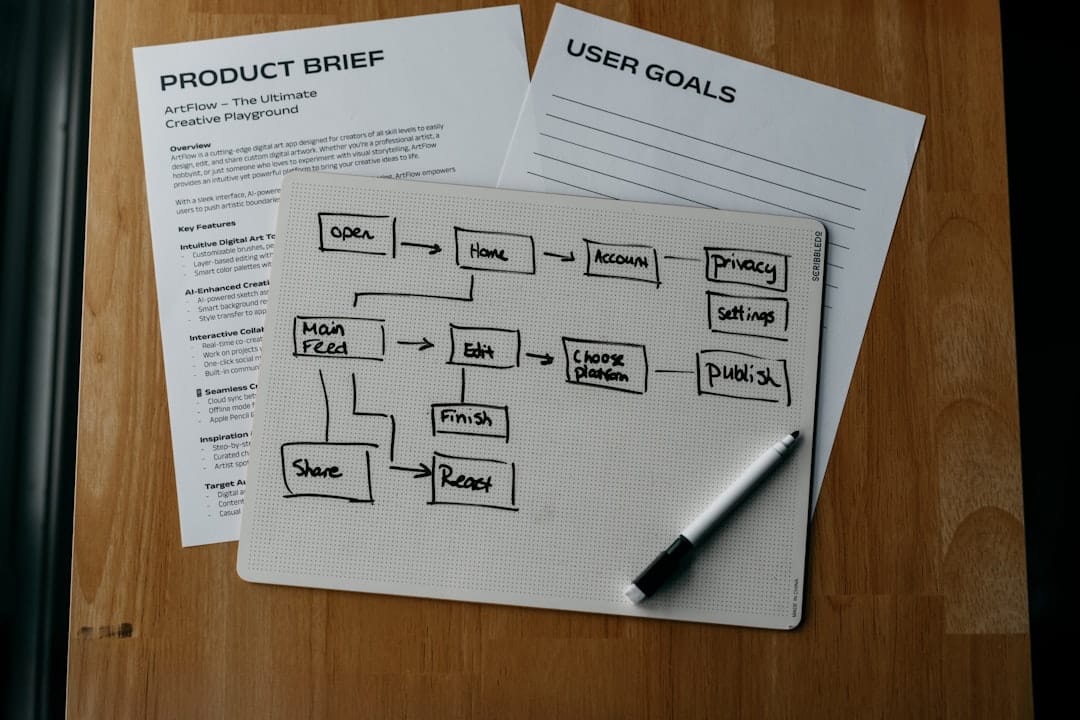
A robust 'right to disconnect' policy hub in Notion should be structured to cover all essential aspects of communication and work expectations. The architecture of our template is designed for clarity and comprehensive coverage, starting with the foundational policy document. This includes the official wording, the policy's purpose, and its scope within the organization. Accompanying this is a detailed 'Communication Channel Guide' database, which breaks down each tool your team uses (like Slack, email, or phone) and specifies its intended purpose and appropriate usage.
To address urgent matters, a 'Who to Contact When' directory provides a simple guide for escalating issues and identifying designated emergency contacts. Finally, an 'Asynchronous Project Board' is integrated to facilitate task management without a reliance on real-time responses, promoting a more balanced workflow.
+-------------------------+
|   Disconnect Policy Hub |
+-------------------------+
        |
        |
+-------------------------+
|   Policy Document       |
|   (Purpose, Scope)      |
+-------------------------+
        |
        |
+-------------------------+    +-------------------------+    +-------------------------+
| Communication Channel   |    | Who to Contact When     |    | Asynchronous Project    |
| Guide (Database)        |----| (Emergency Contacts)    |----| Board (Database)        |
| (Tool, Purpose, Rules)  |    |                         |    | (Tasks, Deadlines)      |
+-------------------------+    +-------------------------+    +-------------------------+
An example of this architecture in practice would be a company that uses Slack for internal team chats, email for client communication, and project management software for task tracking. The Notion hub would contain:
- A page titled "Our Right to Disconnect Policy" outlining the core principles.
- A database called "Communication Channel Guide" with rows for "Slack," "Email," and "Project Tool," detailing their appropriate use and response expectations.
- A simple "Emergency Contacts" page listing who to call for critical issues outside of business hours.
- A "Project Board" database to manage ongoing work asynchronously.

Step-by-Step: Setting Up Your Free Communication Template
Getting started with your 'disconnect policy' hub is straightforward with our free Notion template. Begin by duplicating the template directly into your Notion workspace using the provided link. Once it's in your workspace, the first step is to customize it to reflect your company's specific identity and operational hours. This includes adding your company name, logo, and clearly defining your standard working hours.
Next, navigate to the 'Communication Channel Guide' database and update it with the actual tools your team uses and the specific rules you want to establish for each. After tailoring the content, configure the page permissions to ensure appropriate access for your team – deciding who can view, comment, or edit. Finally, share the link to your new policy hub with the entire team, and consider pinning it in your main Slack or Teams channel for immediate and easy access.
Here’s a quick setup checklist:
- Duplicate the Template: Click the link to add the template to your Notion workspace.
- Company Branding: Upload your logo and update any company-specific colors or fonts.
- Define Work Hours: Clearly state your company's official start and end times for the workday.
- Customize Communication Channels: List all tools used (e.g., Slack, Email, Zoom, Phone, [project management tool name]) and set expectations for each.
- Set Permissions: Determine who has edit access versus view-only access.
- Share Widely: Distribute the link and announce its availability to all employees.

Defining Your Communication Rules and Response Times
Establishing clear rules and expected response times for each communication channel is fundamental to a successful 'right to disconnect' policy. For instance, email might be designated for formal client communications or project updates that don't require immediate attention, with an expected response time of 24 hours during business days. Conversely, Slack could be reserved for quick internal questions or team coordination, with an expectation of a response within two hours during working hours.
This clarity eliminates the ambiguity that often leads to employees feeling pressured to respond instantly, regardless of the hour. By explicitly stating that no response is expected outside of defined working hours for non-emergency situations, you reinforce the boundary between professional and personal time. Leveraging tools like Slack's status settings, such as using a moon emoji (🌙) to indicate "off-hours," can visually signal to colleagues that an individual is offline and not expected to respond.
Here’s a comparison of typical communication channels and their expected usage:
| Communication Channel | Purpose | Expected Response Time (During Work Hours) | After-Hours Expectation |
|---|---|---|---|
| Formal communication, documentation, client | Within 24 hours | No response expected | |
| Slack (Direct Msg) | Quick questions, informal updates, team chat | Within 2 hours | No response expected |
| Team Meeting | Collaborative discussion, brainstorming | Scheduled during work hours | N/A |
| Phone Call | Urgent matters, immediate clarification | During work hours (as needed) | Emergency only |
| Notion Comments | Task-specific feedback, project updates | Within the next working day | No response expected |
Implementing Asynchronous Workflows to Reduce Urgency
Shifting towards asynchronous workflows is a powerful strategy to decouple productivity from the constant need for real-time communication, directly supporting a 'right to disconnect' policy. By using tools like Notion's task boards, you can ensure that tasks are clearly assigned with well-defined descriptions and deadlines, allowing team members to work on them independently when their schedules permit. This eliminates the need for constant "just checking in" messages that disrupt focus and extend working hours.
Encouraging detailed task descriptions and the attachment of all necessary documents within Notion ensures that team members have everything they need to proceed without interruption. Similarly, replacing frequent short sync-up meetings with updates on Notion pages or asynchronous video messages (like Loom) can save significant time and reduce context switching. The effective use of @-mentions and comments in Notion, when used thoughtfully, can facilitate collaboration without creating notification fatigue.
Consider this asynchronous workflow for a project task:
- Assignment: A task is created in Notion, assigned to a team member with a detailed description of the objective, required resources, and a due date.
- Work Phase: The assigned team member reviews the task, gathers necessary information (perhaps from linked Notion pages or documents), and begins working.
- Feedback/Collaboration: If questions arise or feedback is needed, the team member leaves a comment on the Notion task, @-mentioning relevant colleagues.
- Review: The mentioned colleagues receive a notification and can respond to the comment at their convenience during their working hours.
- Completion: The task is updated with progress or completed directly in Notion.
This process allows individuals to manage their workload effectively without feeling obligated to respond to instant messages or emails outside their core working hours.
A Guide for Managers and Employees on Setting Boundaries
Effectively implementing a 'right to disconnect' policy requires commitment from both leadership and individual contributors. Managers play a critical role by modeling the desired behavior; this includes visibly disconnecting during their own off-hours and actively respecting their team members' boundaries. Utilizing features like 'schedule send' in email and Slack allows managers to draft messages outside of working hours but have them delivered during the next business day, signaling that late-night responses are not expected from their team.
Employees, in turn, need to be empowered with strategies to reinforce their boundaries gracefully. This might involve using polite scripts when declining after-hours requests or utilizing 'Do Not Disturb' features on communication platforms. For teams operating across multiple time zones, implementing a 'working pattern' field in personal profiles within Notion can provide clear visibility into each team member's core working hours. Finally, establishing a clear protocol for true emergencies is essential: defining what constitutes an emergency and who the designated on-call contacts are ensures that critical situations are handled without blurring the lines for everyday work.
Here are actionable tips for managers and employees:
- Managers:
- Schedule emails and Slack messages to send during working hours.
- Avoid sending non-urgent requests after hours.
- Publicly praise employees for disconnecting.
- Use presence indicators (e.g., Slack status) to signal availability.
- Employees:
- Set clear "out of office" replies for extended absences.
- Use "schedule send" for your own messages if composing outside work hours.
- Politely decline after-hours requests for non-emergencies.
- Communicate your working hours if operating in different time zones.
- For Everyone:
- Define what constitutes an emergency for your team.
- Identify designated emergency contacts.
How to Successfully Roll Out Your New Policy to the Team
A successful rollout of your 'right to disconnect' policy hinges on clear communication, strong leadership buy-in, and comprehensive training. Begin by finalizing the policy document, ensuring it's clear, concise, and legally sound (consulting with legal counsel if necessary). Once approved, secure sign-off from senior leadership to signal its importance.
The critical phase is the launch: schedule an all-hands meeting to formally announce the policy. During this meeting, walk your team through the Notion hub, explaining the 'why' behind the policy – its benefits for well-being, productivity, and retention. Having the CEO or a senior leader introduce the policy adds significant weight and reinforces its commitment from the top. Following the launch, create a dedicated Slack channel for any questions related to the policy for the initial weeks, and ensure that the policy is a standard part of your onboarding process for new hires.
A phased approach can look like this:
- Policy Finalization & Approval: Draft the policy with input from relevant stakeholders and obtain leadership approval.
- Leadership Announcement: A senior leader announces the policy, highlighting its importance.
- All-Hands Walkthrough: Conduct a meeting to introduce the Notion hub and explain the policy details.
- Q&A Session: Establish a dedicated forum (e.g., Slack channel) for questions.
- Onboarding Integration: Include policy review in new employee orientation.
- Regular Reinforcement: Periodically remind the team of the policy's existence and benefits.
Measuring Success and Iterating on Your Policy
The effectiveness of your 'right to disconnect' policy isn't just about its existence; it's measured by its impact on your team's well-being and productivity. To gauge this, implement short, anonymous pulse surveys that ask employees about their work-life balance, stress levels, and the clarity of communication expectations. Track key metrics such as voluntary turnover rates, the usage of unscheduled paid time off, and self-reported productivity levels.
It's essential to treat the policy as a living document that evolves. Schedule formal reviews of the policy every six to twelve months to gather structured feedback and make necessary adjustments based on what is working and what isn't. Within your Notion hub, you can create a simple feedback form that allows team members to submit continuous, asynchronous suggestions, ensuring that the policy remains relevant and effective over time.
Examples of metrics to track:
- Employee Well-being: Survey scores on stress, burnout, and work-life balance.
- Retention: Voluntary turnover rates compared to pre-policy benchmarks.
- Productivity: Self-reported productivity levels and objective project completion rates.
- Engagement: Participation in disconnection initiatives and positive feedback on the policy.
Understanding the Legal Landscape and Global Trends
As you implement your 'right to disconnect' policy, it’s important to be aware of the existing legal landscape and ongoing global trends. Several regions have already enacted legislation mandating a right to disconnect, including France, Italy, Spain, Ontario (Canada), and Australia, with other jurisdictions actively considering similar measures. While the United States and the UK do not currently have federal laws guaranteeing this right, it's rapidly becoming a significant best practice and a demand from labor unions.
+------------------------------+
| Global Right to Disconnect   |
|       Legislative Spread     |
+------------------------------+
         |
         |
+------------------------------+
| **Europe:**                  |
| - France (2017)              |
| - Italy                      |
| - Spain                      |
| - Ireland                    |
+------------------------------+
         |
         |
+------------------------------+
| **North America:**           |
| - Canada (Ontario - 2022)    |
+------------------------------+
         |
         |
+------------------------------+
| **Oceania:**                 |
| - Australia (2024/2025)      |
+------------------------------+
         |
         |
+------------------------------+
| **In Consideration/Growing   |
|    Best Practice:**          |
| - USA                        |
| - UK                         |
+------------------------------+
For small and medium-sized businesses, it is strongly advised to consult with legal counsel to ensure your specific policy complies with all applicable local labor laws and regulations. Even without a legal mandate, establishing a formal 'right to disconnect' policy can be a substantial competitive advantage when it comes to attracting and retaining top talent.
Conclusion and Next Steps
Implementing a 'right to disconnect' policy is no longer a fringe benefit but a strategic imperative for modern businesses focused on employee well-being and sustainable productivity. By leveraging tools like Notion, SMBs can create a centralized, clear, and adaptable policy hub that empowers both employees and management. This structured approach not only ensures compliance with emerging regulations but also fosters a healthier, more engaged, and ultimately more productive workforce.
Moving forward, the key is to integrate these principles into your company culture. This means not just having a policy, but actively promoting the behaviors that support it, from leadership modeling to everyday work practices. A well-defined and actively managed 'right to disconnect' policy can be a cornerstone of a thriving, burnout-resistant organization.
Here are your concrete next steps:
- Duplicate and Customize: Access our free Notion template and begin tailoring it to your company's specific needs, including work hours and communication tools.
- Discuss with Leadership: Present the finalized policy and the Notion hub to your leadership team for full buy-in and endorsement.
- Communicate and Train: Roll out the policy to your team via an all-hands meeting or dedicated sessions, explaining the importance and how to use the Notion hub.
- Monitor and Adapt: Regularly collect feedback through surveys and informal channels, and be prepared to iterate on the policy to ensure its ongoing effectiveness.
Frequently asked questions
What is the difference between a 'right to disconnect' policy and just having good work-life balance?
A 'right to disconnect' policy formalizes expectations and makes maintaining work-life balance a collective company responsibility, rather than placing the burden of setting boundaries solely on the individual employee.
Do we legally need a right to disconnect policy in the United States?
There is currently no federal law in the US mandating a specific 'right to disconnect' policy. However, it's a rapidly growing trend and a powerful tool for employee well-being and talent retention, regardless of legal requirements.
How can we enforce this policy without being punitive?
Focus on positive reinforcement and cultural change. Leadership should actively model the desired disconnecting behaviors, and managers should be coached to respect team members' off-hours. It's about shifting norms, not issuing punishments.
What if there's a real emergency after hours?
Your policy should include a clear definition of what constitutes an 'emergency' and a specific protocol for whom to contact and how (e.g., a direct phone call). This ensures that genuinely critical issues are addressed while non-emergency matters continue to follow the standard asynchronous process.
Our team is across multiple timezones. How does this policy work for us?
This policy is even more critical for timezone-diverse teams. It relies on each employee respecting the defined 'working hours' of their colleagues, supported by asynchronous tools like Notion that allow for work flexibility.
How do I handle clients who expect 24/7 availability?
Proactively set expectations with clients from the outset. Define service-level agreements (SLAs) that clearly outline your availability and response times. Communicate your company's commitment to employee well-being and how this translates into consistent, quality service during business hours.
Can a Notion admin see my private pages?
In a team workspace, Notion admins can see all shared pages and their structure. However, they cannot access pages in an employee's 'Private' section unless those pages are explicitly shared with them. This is crucial for maintaining trust within the team.
How do I make my own reusable template in Notion?
To create a template, build the page or set of pages you want to templatize. For databases, utilize the built-in 'template button' feature. For standalone pages, simply instruct others to duplicate the original master page from your workspace as a starting point.
Is the Notion template mentioned in this article free?
Yes, the Notion template provided in this guide is free to duplicate and use. A clear call-to-action to access or download it is available for readers.
Will implementing this policy slow down our company's productivity?
The opposite is often true: a well-rested, less-stressed team is more focused and productive during working hours. The policy aims to improve deep work and reduce the costly impacts of burnout and employee turnover.
Additional Resources
Watch
- How To Remove Template From Notion — How To Remove Template From Notion Looking for How To Remove Template From Notion? In this video, we'll guide you step-by-step through the ...


