
OSHA Heat Standard Automation: A Step-by-Step Guide for SMBs
With a new federal OSHA heat standard on the horizon, businesses in construction, landscaping, and other physical industries face significant compliance challenges. This guide provides a proactive solution, showing you how to build an automated heat alert system using Make.com and a weather API…

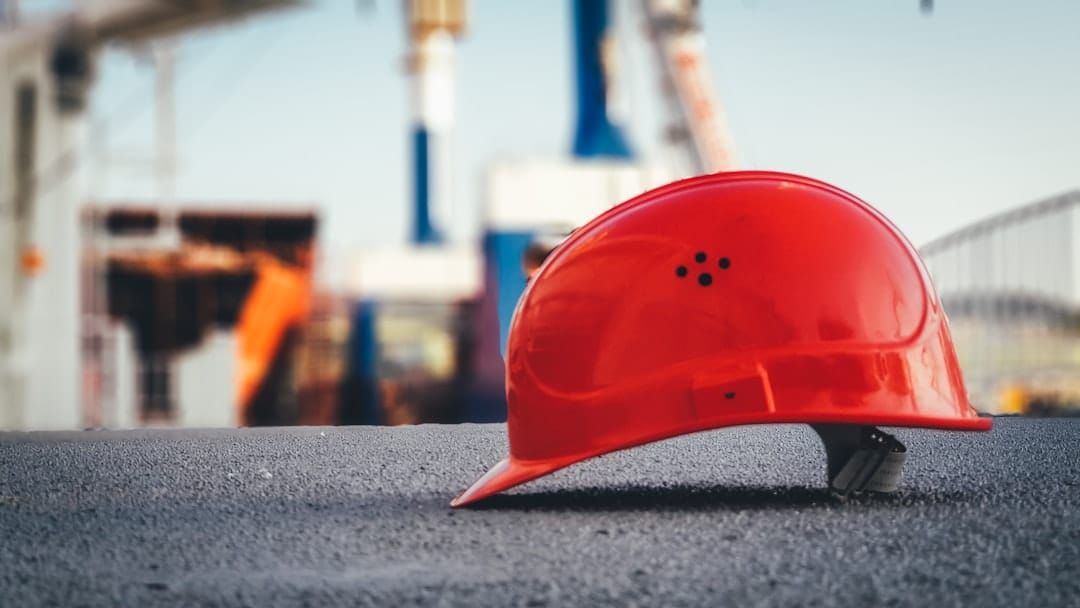
With a new federal OSHA heat standard on the horizon, businesses in construction, landscaping, and other physical industries face significant compliance challenges. This guide provides a proactive solution, showing you how to build an automated heat alert system using Make.com and a weather API to protect your employees, prevent heat-related illness, and avoid costly fines.
Key Takeaways: Your Automation Action Plan
- Familiarize yourself with OSHA's proposed heat standard, focusing on the 80°F initial trigger and 90°F high-heat trigger for action.
- Sign up for a free Make.com account and get a free API key from a weather service like OpenWeatherMap; these are the core tools for your automation.
- In Make.com, create a new scenario that runs daily, fetches the heat index for your worksite's location, and uses a router to check if the index exceeds your defined thresholds (e.g., 80°F).
- Connect your communication tool (like Slack or an SMS service) to send specific, actionable alerts based on the heat level (e.g., 'Level 1 Alert: Heat Index > 80°F. Ensure water access.').
- Document this automation as part of your written Heat Injury and Illness Prevention Plan (HIIPP) to demonstrate proactive compliance.
- Train your supervisors and employees on what the automated alerts mean and what specific actions (Water, Rest, Shade) they need to take when one is received.
Table of contents
- What Is the Proposed OSHA Heat Standard and Why Does It Matter for SMBs?
- How Automation Streamlines Heat Safety Compliance
- Architecture of Your Automated Heat Alert System
- Choosing the Right Tools for Your Alert System
- Step 1: Setting Up Your Make.com Scenario and Schedule
- Step 2: Connecting a Weather API to Fetch Heat Index Data
- Step 3: Building Logic to Trigger Alerts at OSHA Thresholds
- Step 4: Configuring and Sending Automated Safety Notifications
- Beyond Alerts: Automating Compliance Logs and Reports
- How to Train Your Team to Respond to Heat Alerts Effectively
- Conclusion and Next Steps
- Frequently Asked Questions
- Additional Resources
What Is the Proposed OSHA Heat Standard and Why Does It Matter for SMBs?
The proposed OSHA heat standard will require employers to protect workers from heat hazards in both outdoor and indoor settings, making a Heat Injury and Illness Prevention Plan (HIIPP) likely mandatory for industries like construction, agriculture, and manufacturing. This standard includes specific heat index triggers for action, such as 80°F as an initial threshold and 90°F for more stringent measures, mandating provisions for water, rest, and shade, as well as acclimatization protocols for new workers. Failure to comply carries significant financial and operational risks, including fines, project delays, and increased workers' compensation claims, making proactive preparation essential for small and medium-sized businesses [oshas-heat-standard-likely-affect-indoor-manufacturing-facilities].
For example, a construction company operating in a region prone to high temperatures would need to have a documented plan in place. If the heat index forecast for a specific worksite reaches 80°F, their HIIPP would likely require them to ensure ample water is available and that shaded rest areas are accessible. Should the heat index climb to 90°F, additional mandates for set rest breaks and closer employee monitoring would kick in.
How Automation Streamlines Heat Safety Compliance
Automated systems provide a reliable, 24/7 method for monitoring critical heat thresholds without requiring constant manual oversight. This concept, known as "OSHA heat standard automation," leverages no-code tools to automatically check weather forecasts and trigger necessary safety protocols. This proactive approach stands in stark contrast to manual methods, which depend on a supervisor remembering to check the weather, potentially leading to oversight.
Consider a landscaping company that uses an automated system. At 5:00 AM each workday, the system checks the forecasted heat index for all active job sites. If the index is predicted to exceed 90°F, an immediate SMS alert is sent to all crew supervisors, prompting them to load extra water coolers and review the day's safety procedures, ensuring worker readiness before the heat becomes oppressive.
Architecture of Your Automated Heat Alert System
Your automated heat alert system is comprised of four main components: a scheduler, a data source, a logic processor, and a notification service. The scheduler, often integrated into an automation platform like Make.com, initiates the process at a predetermined time, such as each morning before the workday begins. The data source, typically a weather API, provides the essential location-specific heat index forecast.
The logic processor, usually within the automation platform, analyzes this data against your predefined safety thresholds, determining if an alert needs to be sent. Finally, the notification service delivers the alert to the relevant personnel through their preferred communication channels.
The system's architecture can be visualized as follows: The Scheduler triggers the Weather API to fetch data. This data is then processed by the Logic Processor in Make.com. Based on the logic, a Notification Service (e.g., Slack, SMS) is activated.
Choosing the Right Tools for Your Alert System
For this tutorial, Make.com is recommended as your primary automation platform due to its visual interface and generous free tier, making it accessible for small businesses. When selecting a weather API, consider options like OpenWeatherMap, which offers a free tier suitable for many SMBs, or Tomorrow.io for potentially more hyper-local forecasting. For notification channels, you can choose between sending messages to a dedicated Slack channel, utilizing a bulk SMS service like Twilio for direct alerts, or sending targeted emails to supervisors.
Here's a brief comparison of popular automation platforms:
| Feature | Make.com | Zapier |
|---|---|---|
| Logic | Advanced multi-step logic, visual pathing | Basic to intermediate logic, linear flow |
| Interface | Visual drag-and-drop, canvas-based | App-based trigger/action, clean interface |
| Free Tier | Generous task limits | User-friendly, good for simple integrations |
| Cost | Scales with usage, competitive | Can become expensive for complex workflows |
| Suitability | Complex workflows, granular control | Quick, simple automations, broad app support |
Step 1: Setting Up Your Make.com Scenario and Schedule
The initial step involves creating a new 'scenario' within your Make.com account and configuring its schedule to run automatically. You'll add the 'Schedule' module to set the trigger for your automation, specifying the exact time and frequency, such as every day at 5:00 AM. It's crucial to select the correct time zone to ensure the alerts are relevant to your team's workday, preventing premature or delayed notifications.
For instance, if your team starts work at 7:00 AM in California (Pacific Time), you'd set the schedule to run at 5:00 AM PST to allow supervisors enough time to review alerts and make necessary preparations before the workday begins. This ensures that any weather-related safety adjustments can be implemented promptly.
Step 2: Connecting a Weather API to Fetch Heat Index Data
This crucial step involves integrating a weather API to retrieve the necessary meteorological data for your worksite. You'll need to sign up for a weather service, such as OpenWeatherMap, and obtain your unique API key for authentication. Within your Make.com scenario, you'll add an 'HTTP > Make a request' module or a dedicated weather app module to call the API.
When configuring the API call, you'll input your worksite's latitude and longitude coordinates. It's vital to specify that you want the 'heat index' (or 'feels like' temperature, which often incorporates humidity) rather than just the air temperature. For example, to get the heat index for a construction site in Phoenix, Arizona, you would input its coordinates and request the heat index value for the current day's forecast.
Step 3: Building Logic to Trigger Alerts at OSHA Thresholds
The core of your alert system's intelligence lies in the logic you build within Make.com, often using a 'Router' module to create distinct paths for different temperature conditions. You'll add a filter to one path that only proceeds if the heat index fetched from the API is greater than 80°F, serving as your initial alert trigger. A second filter can then be applied to another path for a high-heat alert if the index surpasses 90°F.
This logic can be visualized as a workflow: The Schedule module initiates the scenario, which then uses the HTTP module to fetch weather data. The Router then directs the data. If the heat index is > 80°F, it follows Path 1 and triggers a specific alert. If the heat index is also > 90°F, it follows Path 2, triggering a more urgent alert.
Step 4: Configuring and Sending Automated Safety Notifications
With your logic in place, the final build step involves connecting these paths to your chosen notification modules, such as 'Slack' or 'Twilio (SMS)'. You'll need to authorize Make.com to access your Slack workspace or enter your Twilio API credentials. Once connected, you can construct dynamic alert messages by mapping data from the weather module into your notifications.
For instance, a Level 1 alert might read: "Heat Alert for Main St. Jobsite: Forecasted heat index is 82°F. Ensure adequate water access and rest breaks." A Level 2 alert could be more urgent: "URGENT High Heat Alert for Downtown Core Site: Forecasted heat index is 94°F. Implement mandatory 15-minute rest breaks every 2 hours. Supervisors to actively monitor for heat illness symptoms." Clear, concise messaging is key to ensuring recipients understand the severity and required actions.
Beyond Alerts: Automating Compliance Logs and Reports
An automated system offers more than just real-time alerts; it can also generate a valuable compliance paper trail. By adding a 'Google Sheets > Add a Row' module to your Make.com scenario, you can automatically log crucial data every time the automation runs.
This logged information can include the date, the specific worksite location, the forecasted heat index, and which alert level (if any) was triggered. This creates an auditable record demonstrating your company's proactive monitoring and safety efforts, which can be invaluable during an OSHA inspection. For example, if there was an incident, you could quickly pull up records showing you were actively monitoring heat conditions and had implemented appropriate protocols.
How to Train Your Team to Respond to Heat Alerts Effectively
An automated alert system is only as good as the team's response to it. A clear training plan is essential. Begin by holding a brief meeting to explain the new automated system and what each alert level signifies. Distribute clear, written protocols outlining the specific requirements for water intake, rest break frequency and duration, and shade access for each alert level.
Empower your supervisors to enforce these protocols consistently and encourage employees to self-monitor for symptoms and report them without fear of reprisal. This training ensures that the automated alerts translate into tangible safety actions on the ground, protecting your workforce. A sample talking point for a 'Heat Safety Kickoff' meeting could include: "This new automated system will send us alerts throughout the day based on the heat index. If you receive a Level 1 alert, it means we need to double-check that everyone has access to water and is taking adequate breaks in the shade. A Level 2 alert means we need to implement our mandatory rest break schedule."
Conclusion and Next Steps
As the proposed OSHA heat standard moves closer to implementation, small and medium-sized businesses in physically demanding industries must proactively prepare. Building an automated heat alert system using tools like Make.com and weather APIs is a powerful, cost-effective strategy to ensure employee safety, promote compliance, and mitigate risks. By automating the monitoring of heat index levels and triggering timely notifications, you can create a more responsive and safer work environment.
Your next steps should focus on implementing this system and integrating it into your broader safety protocols.
- Sign up for Make.com and a Weather API: Create accounts for Make.com and register for an API key from a service like OpenWeatherMap.
- Build your Make.com scenario: Follow the steps outlined in this guide to set up your schedule, connect the weather API, and configure your logic routers for the 80°F and 90°F thresholds.
- Integrate your notification service: Connect your preferred communication tool (Slack, Twilio, email) to send out the alerts.
- Develop and document your HIIPP: Ensure your Heat Injury and Illness Prevention Plan explicitly includes your new automated alert system.
- Train your team: Conduct thorough training sessions for all employees and supervisors on understanding and responding to the automated heat alerts.
Frequently Asked Questions
Is the federal OSHA heat standard a final rule?
No, as of the publication of this article, it is a proposed standard. While it is not yet a final, enforceable rule, businesses are strongly advised to prepare now as the rulemaking process is actively underway.
Does the proposed OSHA heat standard apply to indoor work like in warehouses?
Yes, absolutely. The proposed rule, titled "Heat Injury and Illness Prevention in Outdoor and Indoor Work Settings," explicitly covers both environments, representing a significant update for many employers who may have previously focused only on outdoor hazards.
What is the difference between temperature and heat index?
Temperature is a direct measure of the air's heat. The heat index, however, is a more critical safety metric for heat stress; it combines air temperature with relative humidity to estimate how hot the human body actually feels. This is because higher humidity reduces the effectiveness of sweating, making it harder for the body to cool down.
How much does it cost to build this automated alert system?
The good news is that this system can often be built for free, utilizing the free tiers of Make.com and a weather API like OpenWeatherMap. Costs may arise if you opt for a high-volume SMS notification service such as Twilio, depending on your usage.
Can I use Zapier or another tool instead of Make.com?
Yes, you can. The fundamental principles of building this automation remain the same across different platforms. The core steps involve a trigger, fetching data, applying filters or logic, and executing an action. This framework applies to Zapier, IFTTT, and many other integration tools.
What is acclimatization and how does the standard address it?
Acclimatization is the process by which the body gradually adjusts to working in hot conditions. The proposed OSHA standard is expected to require employers to implement a formal plan for ramping up the exposure of new or returning workers over a period of 7 to 14 days, allowing their bodies to adapt.
Does this automated system alone make my business OSHA compliant?
No, not entirely. This automated system is a powerful tool for one crucial aspect of compliance: monitoring and notifying about heat hazards. A comprehensive Heat Injury and Illness Prevention Plan (HIIPP) also requires other elements, such as hazard assessments, employee training, provision of resources (water, shade), and emergency response plans.
How do I find the latitude and longitude for my temporary job sites?
You can easily find the latitude and longitude coordinates for any location by right-clicking on that spot on Google Maps. The coordinates will appear in a small pop-up window. Alternatively, many free online tools are available for this purpose.
Who on my team should receive the automated heat alerts?
Automated heat alerts should be sent to individuals responsible for crew safety and site management. This typically includes site supervisors, project managers, and the company's designated safety coordinator. For critical high-heat alerts, consider also sending direct notifications to all crew members via SMS.
What are the common signs of heat stroke to train my team on?
It's critical for your team to recognize that heat stroke is a medical emergency. Key symptoms include confusion, slurred speech, loss of consciousness, hot and dry skin (or profuse sweating), and seizures. Emphasize that immediate notification of 911 and prompt cooling of the affected individual are paramount.


