
Increase LTV with Automated Post-Purchase Emails: A Make.com & Klaviyo Tutorial
Most Shopify stores stop at the generic 'thank you' email, wasting the moment of highest customer engagement. This is a massive missed opportunity to build loyalty and drive repeat sales. This tutorial provides a stepbystep guide to using Make.com and Klaviyo to create powerful, automated postpurcha

Most Shopify stores stop at the generic 'thank you' email, wasting the moment of highest customer engagement. This is a massive missed opportunity to build loyalty and drive repeat sales. This tutorial provides a step-by-step guide to using Make.com and Klaviyo to create powerful, automated post-purchase emails that are personalized based on the specific products a customer buys, turning one-time buyers into lifelong fans.
Key takeaways
- Stop sending generic order confirmations and start sequences that add value based on the specific product purchased.
- Use Make.com as the 'brain' to connect your Shopify or Squarespace store to Klaviyo, enabling complex logic that isn't possible with Klaviyo alone.
- Map out 3-5 distinct email sequences for your top product categories, focusing on education, usage tips, and complementary products.
- The first email in your new sequence should arrive within 24 hours and offer immediate value, such as a quick-start guide or care instructions.
- The primary goal is increasing Customer Lifetime Value (LTV) by encouraging repeat purchases, not just gathering product reviews.
- Always configure a 'catch-all' flow for products that don't fit into a specific category to ensure no customer is missed.

Table of contents
- Why Generic 'Thank You' Emails Are a Wasted Opportunity
- The Power of Product-Specific Follow-ups for Increasing LTV
- Your New Tech Stack: Why Use Make.com with Klaviyo?
- Architecting Your Personalized Email System (The Blueprint)
- Step 1: Connecting Your Store and Triggering a Make.com Scenario
- Step 2: Building the Router to Sort Customers by Product
- Step 3: Triggering a Specific Klaviyo Flow from Make.com
- Designing Your Product-Specific Klaviyo Flows: Content & Timing
- Measuring Success: The Retention Metrics That Actually Matter
- Scaling Your System: From 3 Products to Your Entire Catalog
- Conclusion and Next Steps
- Frequently Asked Questions
- Additional Resources
Why Generic 'Thank You' Emails Are a Wasted Opportunity
While transactional emails boast high open rates, generic content fails to engage customers and build meaningful relationships. Simply sending a standard order confirmation or shipping notification misses the prime opportunity to connect with a customer who is highly engaged with your brand at that moment. This critical window of attention, which peaks immediately after purchase, fades quickly, making the post-purchase period the single biggest, easiest-to-fix hole in most e-commerce marketing funnels.
For example, imagine a customer buys a new high-end coffee machine. A generic "Your order has shipped" email offers no additional value beyond confirmation. Contrast this with an email sent a day after delivery offering a "Quick Start Guide" for their specific machine model, including tips on grinding beans and water temperature, which immediately adds value and reinforces their purchase decision.
The Power of Product-Specific Follow-ups for Increasing LTV
Personalizing post-purchase communication based on a customer's specific purchase history makes them feel understood and builds significant trust. This personalized approach moves the conversation from a purely transactional exchange to a more relational one, where your brand demonstrates genuine interest in the customer's satisfaction with their purchase. This strategy directly impacts key e-commerce metrics: a higher repeat purchase rate, an increased Average Order Value (AOV) through effective cross-sells, and ultimately, a boosted Customer Lifetime Value (LTV).
Consider two scenarios: A customer purchases a complex skincare product. A generic "Thank You" email is forgettable. However, a product-specific sequence could include an email on "How to Properly Apply Your New Serum for Best Results" a few days after delivery, followed by a recommendation for a complementary cleanser a week later. This tailored approach educates the customer, enhances their experience, and primes them for future purchases of related items.
Your New Tech Stack: Why Use Make.com with Klaviyo?
While Klaviyo is a powerful email marketing platform, its native Shopify triggers can be limiting for complex, product-based routing. Implementing sophisticated conditional logic, such as sending different email sequences based on a customer's specific product purchase, often requires a more robust automation tool. This is where Make.com (formerly Integromat) excels as the flexible 'glue' connecting your store to Klaviyo, enabling the advanced "if-this-then-that" logic needed for truly dynamic personalization.
| Feature | Klaviyo Alone (with Shopify Trigger) | Klaviyo + Make.com Integration |
|---|---|---|
| Basic Order Trigger | Yes | Yes |
| Send Email Based on Specific Product | Limited (via segments, not direct logic) | Yes (via custom event triggers) |
| Complex Conditional Logic | No | Yes |
| Multi-step Product Routing | No | Yes |
| Integrate with Other Apps | Limited | Yes |
| Data Transformation/Formatting | Limited | Yes |
In this setup, Shopify (or Squarespace) acts as the data source, Make.com processes the logic and routes the data, and Klaviyo executes the personalized email campaigns. This division of labor ensures a powerful and flexible automation system.
Architecting Your Personalized Email System (The Blueprint)
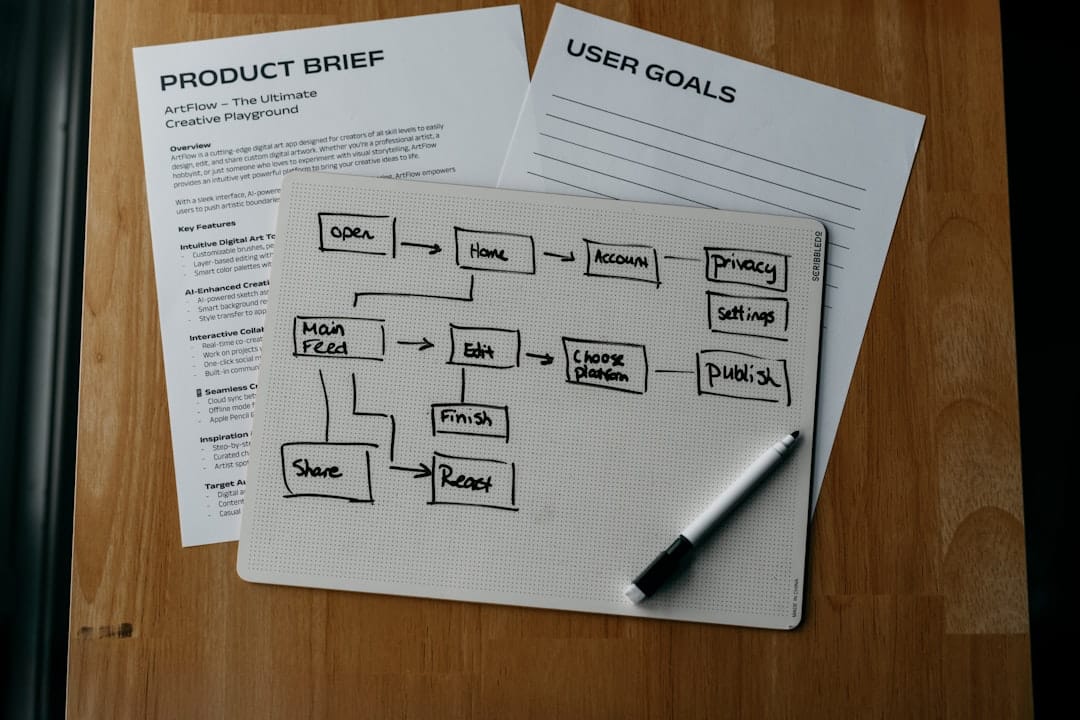
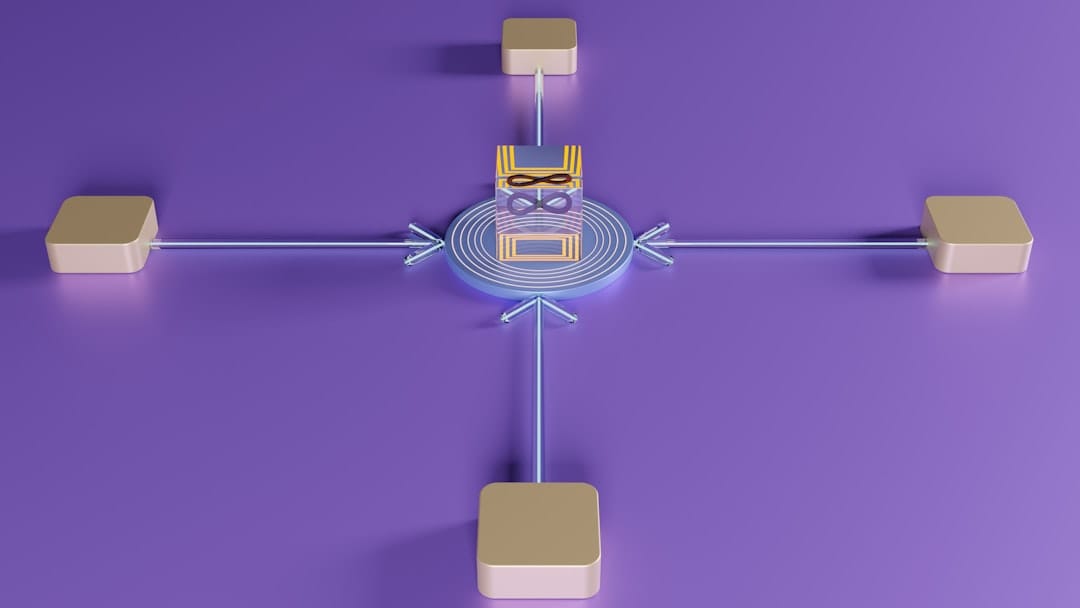
The architecture for this personalized email system involves a clear flow of data and triggers. When a new order is placed in your Shopify or Squarespace store, Make.com's scenario triggers, processing the order details. Based on predefined logic, Make.com then pushes a custom event to Klaviyo, which in turn activates a specific, personalized email flow for that customer. This system relies on capturing key data points from the order, such as product SKU, name, or relevant tags, to inform the routing decisions.
The core components are:
- The Trigger: A new order being placed in your e-commerce platform.
- The Logic: Make.com's router module determines which product category the order falls into.
- The Action: A custom event is sent to Klaviyo, triggering a specific, personalized email sequence.
It's advisable to start small by mapping out these flows for your top 3-5 SKUs or most important product categories. This allows you to refine the process before scaling to your entire catalog.
Step 1: Connecting Your Store and Triggering a Make.com Scenario
To begin building your automation, create a new scenario in Make.com. The first step is to connect your e-commerce platform (Shopify or Squarespace) by selecting the appropriate module, such as "Shopify: Watch Orders" or "Squarespace: New Order". You'll then authorize Make.com to access your store's data.
Once connected, run the scenario once to pull in sample data from a recent order. This sample data bundle is crucial, as it will be used to define the logic for sorting customers. Pay close attention to the 'Line Items' array within the data, as this section contains the specific product information needed for filtering.
Step 2: Building the Router to Sort Customers by Product
The Router module in Make.com is the central hub for directing your data based on specific conditions. You'll add a Router to your scenario and create separate paths, with each path corresponding to a product category you wish to target. For instance, you might have a path for "Skincare," another for "Apparel," and so on.
Within each path, you'll set up filters that examine the 'Line Items' data from your trigger. These filters will look for specific product SKUs, titles, or tags. For example, the "Skincare" path might have a filter that checks if any item in the 'Line Items' array has the tag "skincare." For products that don't fit into any specific category, a crucial "fallback" or "default" route should be configured to ensure no customer is missed.
Here's a conceptual workflow diagram:
[Your Store: New Order Trigger] --> [Make.com Scenario Branching]
                                     |
                                     +-- [Router: Path 1 > Filter for Product A] --> [Klaviyo: Create Event 'Purchased_Product_A']
                                     |
                                     +-- [Router: Path 2 > Filter for Product B] --> [Klaviyo: Create Event 'Purchased_Product_B']
                                     |
                                     +-- [Router: Path 3 > Filter for Product C] --> [Klaviyo: Create Event 'Purchased_Product_C']
                                     |
                                     +-- [Fallback Route > No Specific Product Match] --> [Klaviyo: Create Event 'Purchased_General_Item']
Step 3: Triggering a Specific Klaviyo Flow from Make.com
At the end of each path in your Make.com router, you'll add a "Klaviyo: Create Event" module. This module is responsible for sending a custom event to Klaviyo, which will then trigger a specific email flow tailored to the customer's purchase. It's vital to use a clear and consistent naming convention for these custom events, such as Purchased_Skincare_Kit or Purchased_Apparel_Item.
When configuring the module, you'll map the customer's email address and other relevant properties captured from the initial store trigger into the Klaviyo module's fields. This ensures that Klaviyo receives the necessary information to identify the customer and send the correct email sequence. For example, the Customer Email from the Shopify trigger would be mapped to the Email field in the Klaviyo module.
Designing Your Product-Specific Klaviyo Flows: Content & Timing
Once your Make.com scenario is pushing custom events to Klaviyo, you can create flows within Klaviyo that are triggered by these events. For each custom event you defined (e.g., Purchased_Skincare_Kit), you'll build a dedicated flow. A typical product-specific sequence might consist of 3-5 emails spread over 30-60 days, focusing on providing genuine value unique to that product.
A sample 3-email sequence could be structured as:
- Email 1 (1 Day After Purchase): A "Welcome & Quick Start Guide" or "Care Instructions" email. For a skincare kit, this could detail the order of application and ingredient benefits.
- Email 2 (7 Days After Purchase): "Pro-Tips & Community Feature." For a coffee subscription, this might share brewing techniques or highlight a customer-submitted recipe.
- Email 3 (21 Days After Purchase): "Complementary Product Cross-Sell." For the skincare kit, this could introduce a matching serum or a specialized cleaning brush, explaining how it enhances the existing routine.
The key is to maintain your brand's authentic voice and focus on providing helpful, relevant content that genuinely educates and benefits the customer, rather than simply pushing sales.
Measuring Success: The Retention Metrics That Actually Matter
While open and click-through rates are useful indicators of initial engagement, the true measure of success for these automated post-purchase flows lies in retention metrics. You need to track how these personalized sequences impact customer behavior over time.
Key metrics to monitor include:
- Repeat Customer Rate: Are customers who receive these personalized flows making more repeat purchases than those who don't?
- Time Between Purchases: Has the frequency of repeat purchases decreased, indicating more frequent buying?
- Customer Lifetime Value (LTV): Does the average LTV of customers in these targeted segments increase over time?
You can find and track these metrics within your Shopify or Squarespace analytics dashboards, and further analyze customer behavior using Klaviyo's cohort analysis. By establishing a baseline before launching your new flows, you can accurately measure the uplift and demonstrate the ROI of your personalized post-purchase strategy.
Scaling Your System: From 3 Products to Your Entire Catalog
Scaling this automation system to cover your entire product catalog doesn't have to lead to an unmanageably complex Make.com scenario. A strategic approach can keep your automation streamlined and efficient.
A highly effective method is to leverage product tags within your e-commerce platform. Instead of individual SKUs, create broad tags like category_skincare, material_cotton, or product_type_electronics. Your Make.com router can then filter based on these tags, allowing you to group similar products into single email sequences. This makes your scenario far more scalable and easier to manage.
Crucially, ensure your Make.com router includes a robust 'fallback' or 'default' route. This route will catch any orders that don't match your predefined product tags or categories, sending them into a general post-purchase sequence designed for all other customers. This ensures that every customer receives some form of post-purchase communication, preventing any gaps in your customer engagement strategy.
This system can be encapsulated in a framework:
- Planning: Identify key product categories and their unique post-purchase needs.
- Building: Configure Make.com to trigger custom events in Klaviyo based on product tags.
- Executing: Design tailored email sequences in Klaviyo for each category.
- Measuring: Track LTV and repeat purchase rates to optimize the system.
Conclusion and Next Steps
By moving beyond generic 'thank you' emails and implementing personalized, product-specific post-purchase email sequences using Make.com and Klaviyo, you can significantly increase customer lifetime value and foster deeper brand loyalty. This strategic approach transforms transactional interactions into valuable touchpoints that educate, engage, and encourage repeat business.
Here are your concrete next steps:
- Map your top 3-5 product categories: Identify the most important product groups and outline the unique value you can offer in post-purchase emails for each.
- Set up your Make.com scenario: Connect your e-commerce store and build the router to filter orders by product tags or SKUs, creating distinct paths.
- Create custom events in Klaviyo: Configure the "Create Event" module in Make.com to push unique events to Klaviyo for each product category.
- Design your first Klaviyo flows: Build the product-specific email sequences in Klaviyo, focusing on value-driven content and appropriate timing.
- Monitor and iterate: Track your LTV and repeat purchase rates to continuously refine your automation and ensure maximum impact.
Frequently Asked Questions
Can't I just do this with Klaviyo's built-in Shopify trigger?
While Klaviyo's native triggers are excellent for basic flows, Make.com provides the necessary power to route customers based on complex product logic. This includes handling multiple conditions simultaneously and integrating with other applications within the same workflow, which is essential for truly dynamic, product-specific email campaigns that go beyond simple segmentation.
How much does a setup like this cost?
Make.com operates on a credit-based pricing model, with many users able to start with their free or a low-cost tier, especially for straightforward automation. Klaviyo also offers tiered pricing based on the number of contacts. While there's an investment, this strategy is designed to pay for itself many times over through increased customer lifetime value and reduced churn.
Is this compatible with Squarespace or WooCommerce instead of Shopify?
Yes, the core principle of using Make.com to connect your e-commerce platform to Klaviyo remains the same. The primary difference will be the initial trigger module you select in Make.com. Instead of "Shopify: Watch Orders," you would use the equivalent modules for Squarespace ("Squarespace: New Order") or WooCommerce ("WooCommerce: New Order").
What happens if a customer buys products from two different categories in one order?
Your Make.com router can be configured to handle this. You have a few options: you could prioritize one category (e.g., the higher-value item) or set up the router to send multiple custom events, triggering different sequences. However, for a cleaner customer experience, it's often better to consolidate into one primary sequence or design a combined educational/offer email for multiple items.
How do I avoid sending too many emails and spamming my customers?
The key is to focus on providing genuine value that feels relevant rather than just increasing send volume. Ensure these new personalized flows don't conflict with your existing marketing campaigns and leverage Klaviyo's "Smart Sending" feature to prevent overwhelming customers with too many emails within a short timeframe. The more useful and timely your emails are, the less they will feel like spam.
I have hundreds of products. Which sequence should I build first?
Start with the products or categories that represent your most valuable customers or have the highest potential for repeat business. Alternatively, focus on your single bestselling product to immediately impact the largest segment of your customer base and learn from that initial implementation.
How many emails should be in a typical sequence, and what's the timing?
A common starting point is a sequence of 3-5 emails spread over 30-60 days, adjusted based on the product's consumption cycle or typical usage. A sample timeline could be: Day 1 (Welcome/Onboarding), Day 7 (Tips/Usage), Day 21 (Cross-sell/Complementary item), and Day 45 (Re-order reminder if applicable).
Should I include discounts in these post-purchase emails?
Discounts can be effective, particularly in the final email of a sequence as an incentive for a repeat purchase. However, leading with discounts might devalue the educational content and train customers to expect deals. Prioritize value and education in the early emails, and consider a thoughtful discount as a persuasive element later in the sequence.
How can I test this automation without it going live to real customers?
You can use a test order within your e-commerce platform. Once the order is created, manually run your Make.com scenario using that test order's data. Observe the scenario's execution, check that the correct event is sent to Klaviyo, and then inspect the test customer's profile in Klaviyo to ensure they received the expected custom event and that it triggers the correct flow.
Are these marketing or transactional emails? Do I need consent?
The initial order confirmation and shipping notifications are considered transactional. However, the personalized educational and cross-selling emails that follow are classified as marketing communications. Customers must have provided explicit consent (opted in) to receive marketing emails to legally receive these personalized post-purchase sequences.


