
Build a Custom CRM with Lovable AI: The SMB Guide to Replacing Spreadsheets
If your small business is run on a patchwork of spreadsheets, you know the pain of scattered customer data, missed followups, and a sales process that feels more chaotic than controlled. Offtheshelf CRMs are often too complex, expensive, or rigid for your unique needs. This guide provides a...


If your small business is run on a patchwork of spreadsheets, you know the pain of scattered customer data, missed follow-ups, and a sales process that feels more chaotic than controlled. Off-the-shelf CRMs are often too complex, expensive, or rigid for your unique needs. This guide provides a complete walkthrough for building your own lightweight, custom CRM that centralizes contacts, tracks interactions, and automates reminders, all powered by intuitive AI tools.

Key takeaways: From Spreadsheet to Smart CRM
- Map your exact sales process first—what stages a lead goes through—before writing a single line of code or prompt.
- Start with a minimal viable product (MVP) focused on three core features: a centralized contact database, interaction logging, and automated follow-up reminders.
- Use a low-code AI platform like Lovable.dev to generate the front-end and basic logic, describing your needs in plain English.
- Connect your CRM to a scalable backend database, like Supabase, from day one to ensure your data is structured and secure.
- Integrate AI for high-value automations, such as summarizing call notes, scoring leads based on activity, or suggesting the next best action for a sales rep.
- Plan to launch your custom CRM with a single team member or yourself to gather feedback and iterate quickly before rolling it out to the entire company.

Table of contents
- Why Your Spreadsheet 'CRM' Is Costing You Sales
- What Is a 'Lovable AI' CRM?
- Step 1: Mapping Your Unique Sales Workflow
- Architecting Your Custom CRM: Core Components
- Choosing Your Tech Stack: Low-Code AI vs. Traditional Development
- Building Your First CRM Prototype with Lovable
- Implementing Essential Features: Contacts, Interactions, and Tasks
- Unlocking AI Superpowers: Summarization and Automation
- Connecting Your CRM to Your Business Ecosystem
- Launching and Improving Your CRM for Long-Term Value
- Conclusion and Next Steps
- Frequently asked questions
- Additional Resources
Why Your Spreadsheet 'CRM' Is Costing You Sales
Your spreadsheets might feel manageable now, but they are silently bleeding potential revenue and hindering your business growth. Manual data entry is prone to errors, leading to missed follow-ups and lost deals. Imagine a crucial client detail being misspelled or an entire entry duplicated; these seemingly small mistakes can have significant ripple effects on customer relationships and your bottom line.
When multiple team members access and update the same spreadsheets, you lose a "single source of truth." Different versions can proliferate, leading to confusion about which data is current, accurate, or even relevant. This fragmentation makes collaborative selling inefficient and can result in conflicting information being shared with clients.
The most critical drawback is the utter lack of automation. Setting up reminders, generating reports, or performing any repetitive task becomes a manual chore. This limits your team's capacity to focus on selling and nurturing relationships, instead burying them in administrative tasks that a proper CRM could easily handle. This lack of efficiency is a direct drag on sales performance.
| Feature | Spreadsheet CRM | Custom AI CRM |
|---|---|---|
| Scalability | Poor; performance degrades with data volume. | Excellent; built on scalable database infrastructure. |
| Automation | Very limited; requires manual intervention. | Robust; AI-powered workflows and scheduled tasks. |
| Data Integrity | Prone to errors, duplicates, and inconsistencies. | High; structured data, validation rules, and backups. |
| User Experience | Clunky, non-intuitive, poor for collaboration. | Tailored, intuitive, and designed for specific team needs. |
| Customization | Minimal; limited by spreadsheet formulas. | Infinite; adaptable to unique sales processes and workflows. |
| Cost | Low immediate cost, high hidden operational cost. | Predictable subscription costs, significant long-term ROI. |

What Is a 'Lovable AI' CRM?
A 'Lovable AI' CRM is a customer relationship management tool that's custom-built using artificial intelligence to deliver an intuitive, automated, and personalized experience for your team. It goes beyond simply storing data; it actively helps your users engage with it more effectively, making the CRM a pleasure, not a chore, to use.
The "Lovable" aspect refers to the philosophy of building software that your team genuinely enjoys using. This means tailoring the interface and functionality precisely to your unique sales processes and workflows, eliminating the friction and complexity often found in generic off-the-shelf solutions. When a tool is lovable, adoption rates soar, and your team is more productive.
The "AI" component plays a dual role. Firstly, AI acts as a sophisticated co-developer, capable of generating significant portions of your CRM application from simple English descriptions, as seen on platforms like Lovable.dev. Secondly, AI becomes an integrated feature within the CRM itself, automating tasks like summarizing lengthy call notes, scoring leads based on their engagement, or proactively suggesting the next best action for a sales representative.
Step 1: Mapping Your Unique Sales Workflow
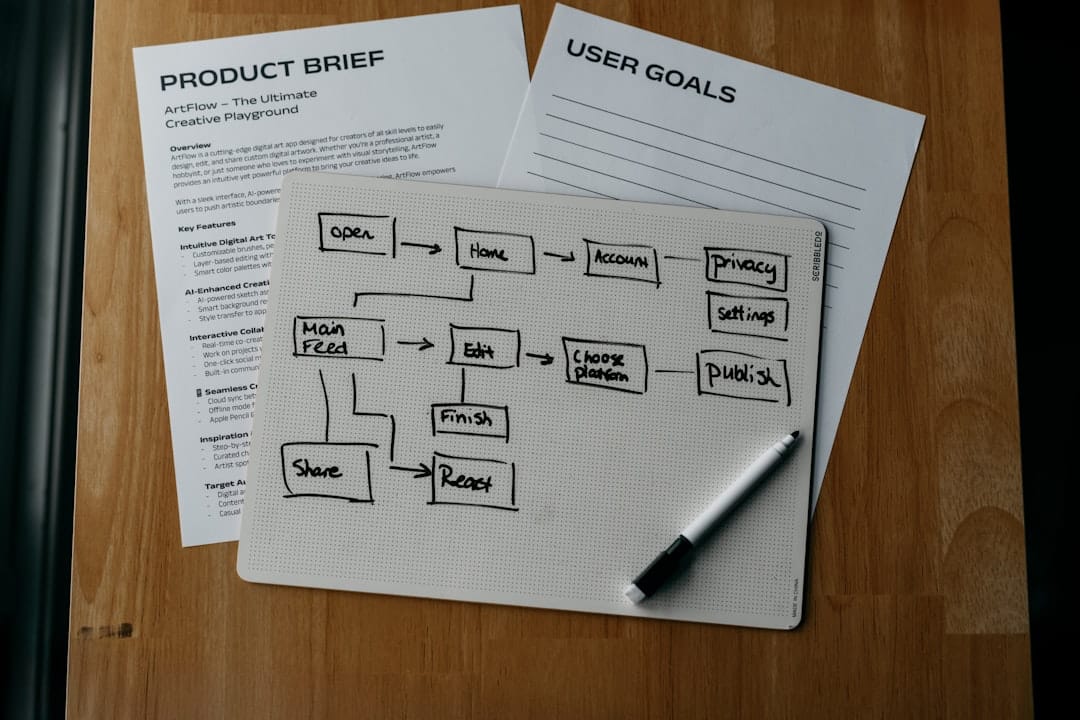
Before you write a single line of code or formulate an AI prompt, the most crucial step is to meticulously document your existing sales process. This isn't just about listing steps; it's about understanding the journey of a lead from initial contact to becoming a satisfied customer. Think of it as creating a blueprint for your entire sales operation that will guide the development of your custom CRM.
Your documentation should clearly define distinct stages a lead progresses through. Common stages might include "New Lead," "Contacted," "Demo Scheduled," "Proposal Sent," "Negotiation," and finally, "Closed-Won" or "Closed-Lost." For each stage, consider what specific actions your team takes and what information is critical to capture.
This stage involves defining the essential data points you need to track at each step. For instance, in the "Demo Scheduled" stage, you'll want to know the date and time of the demo, the attendees, and any specific product interests mentioned. During the "Proposal Sent" stage, you'll track proposal value, expected close date, and any key terms. Capturing these critical data points ensures your CRM provides actionable insights at every stage of the sales cycle.

Architecting Your Custom CRM: Core Components
Building a custom CRM involves assembling several key architectural components that work in harmony. At its core, you'll need a user-friendly front-end interface, a robust backend database to store all your data, and the business logic that powers your CRM's functionality, including automations and AI integrations.
The foundation of your CRM's data structure will typically involve several interconnected tables. You'll likely need a Contacts table to store individual customer information, a Companies table to group contacts by their organization, an Interactions table to log all communications (emails, calls, meeting notes), and a Tasks table to manage follow-up reminders and to-dos.
These tables are designed to relate to each other, forming a relational database. For example, a specific Contact will belong to a Company, and every Interaction logged will be linked to a particular Contact. This interconnectedness allows you to view all relevant information about a contact, their company, and their history in one place, providing a comprehensive view of customer relationships.
Your architecture will typically look like this: The user interacts with a Front-End Application (built with Lovable), which communicates with a Backend Database (like Supabase) to store and retrieve data. Business Logic, which can include AI processing and integrations with other services (like Make or Zapier), sits between the front-end and the database, orchestrating workflows and actions.
Choosing Your Tech Stack: Low-Code AI vs. Traditional Development
The modern development landscape offers powerful alternatives to traditional coding, especially for small businesses. AI-powered platforms like Lovable allow you to generate a functional front-end application simply by describing your desired features and interface in plain English, significantly accelerating development time and reducing the need for deep coding expertise.
For a lightweight, custom CRM, a strong tech stack involves combining Lovable.dev for your user interface and front-end logic, Supabase for a scalable and secure PostgreSQL database backend, and integration platforms like Make or Zapier to connect with other essential business tools. This combination provides a powerful, flexible, and cost-effective solution.
Compared to traditional development, this low-code AI approach offers substantial benefits in speed and cost. You can have a functional prototype up and running in hours or days, rather than weeks or months. While traditional development offers ultimate flexibility, it requires significant investment in skilled developers and longer development cycles, which can be prohibitive for many small businesses.
| Feature | Low-Code AI Stack (Lovable, Supabase, Make) | Traditional Development (React, Node.js, PostgreSQL) |
|---|---|---|
| Development Speed | Very High | Moderate to Low |
| Required Expertise | Low-to-Medium (English prompts, basic logic) | High (Programming languages, frameworks, databases) |
| Cost | Predictive, often lower monthly costs | High upfront and ongoing development costs |
| Customization | High (AI can generate complex logic) | Maximum (Full control over every aspect) |
| Time to Market | Hours/Days for MVP | Weeks/Months for MVP |
| Maintenance | Easier updates via AI and platform tools | Requires dedicated developer expertise |

Building Your First CRM Prototype with Lovable
Begin by instructing Lovable to generate your CRM's foundational elements. A good starting prompt would be to create a dashboard featuring a list of your contacts, with the ability to click on a contact to view their detailed profile on a separate screen. This sets up the core navigation and data display for your CRM.
Once the initial layout is generated, leverage Lovable's "Select & Edit" feature to refine the user interface. You can click on any element – a button, a text field, a section – and describe the changes you want. For example, you might want to add a "New Contact" button to the dashboard or change the label of a field in the contact detail view.
The critical step is connecting this visually crafted front-end to a backend database. Lovable offers seamless integration with Supabase. You'll configure Supabase, defining your database tables (Contacts, Companies, etc.), and then connect Lovable to this Supabase instance. This allows the data you create or view in your Lovable application to be stored, retrieved, and managed persistently in your Supabase database.
Implementing Essential Features: Contacts, Interactions, and Tasks
With your front-end connected to your Supabase backend, the next step is to build out the core functionalities of your CRM. Start by creating a form for adding new contacts. This form should include fields for name, email, phone number, and company affiliation, all of which will be saved to your Contacts table in Supabase.
Next, implement a way to log interactions. For each contact, you'll want a dedicated section where users can add notes about calls, meetings, or emails. This data can be stored in an Interactions table, linked back to the specific contact. This feature is vital for tracking customer engagement history.
Finally, set up a basic task management system. This allows users to create follow-up reminders associated with contacts. For instance, "Call John Smith next Tuesday" or "Send follow-up email to Jane Doe regarding proposal." These tasks can be stored in a Tasks table, linked to a contact and an optional due date, providing a simple yet powerful way to manage your sales pipeline.
Unlocking AI Superpowers: Summarization and Automation
To truly elevate your CRM beyond a simple database, integrate AI for intelligent automation. One powerful feature is an AI-driven summarization tool. Imagine a scenario where a sales rep has logged ten interactions with a prospect. With a single click, an AI model can process all these notes and generate a concise summary, immediately highlighting key discussion points and next steps, saving the rep significant time and effort.
Another impactful automation is to use AI to analyze incoming emails. When a new inquiry arrives, the AI can parse its content to identify key information like the sender's name, company, and their stated interest. This information can then be used to automatically create a new lead record in your CRM, complete with pre-populated fields, pre-qualifying the lead before a human even sees it.
Beyond these examples, AI can power advanced features like lead scoring, where interactions and engagement history are analyzed to predict a lead's likelihood to convert. Sentiment analysis on customer notes can provide insights into customer satisfaction, and AI agents could even be developed to proactively schedule follow-up meetings based on predefined triggers.
Connecting Your CRM to Your Business Ecosystem
Your custom CRM shouldn't operate in a vacuum; it should be the central hub for your customer data, connected to the other tools your business relies on. Integration platforms like Make simplify this process by providing a visual interface to connect different applications without extensive coding.
For example, you could create a workflow where every new event added to your team's Google Calendar automatically creates a corresponding task in your CRM for the assigned team member. This ensures that scheduled meetings are reflected in your sales activities and can be linked back to specific contacts or deals.
Another practical integration is a two-way sync with your Google Contacts or Outlook contacts. This ensures that contact information is consistent across your CRM and your personal address book, reducing data entry duplication and ensuring everyone has the most up-to-date contact details. Building these connections transforms your CRM from a standalone tool into an integrated part of your business operations.
Launching and Improving Your CRM for Long-Term Value
When your custom CRM is ready, resist the urge to roll it out to the entire company at once. Instead, start with a small pilot group—perhaps yourself and one other team member. This allows you to gather real-world feedback in a controlled environment, identify any unforeseen issues, and make crucial adjustments before a wider launch.
Establish a simple feedback loop for your pilot users. This could involve regular check-ins, a shared document for bug reports and feature requests, or even a simple survey. Actively listen to their experiences and prioritize feedback that addresses critical pain points or offers significant improvements to their daily workflow.
Remember that your custom CRM is a living product. As your business evolves, so too should your CRM. Leverage tools like Lovable's GitHub integration to manage code versions and collaborate with developers if you need to scale or add more complex features in the future. Continuous iteration based on user feedback and evolving business needs will ensure your CRM remains a valuable asset for years to come.
Conclusion and Next Steps
You've learned how to move beyond the limitations of spreadsheets and build a powerful, custom CRM tailored to your small business needs using AI-driven low-code platforms. By understanding your sales workflow, choosing the right tech stack, and leveraging AI for automation, you can create a system that not only manages customer data but actively enhances your sales process.
This guide has provided the foundational knowledge and steps to get started. The key is to begin with a minimum viable product and iterate, making your CRM a continuously improving tool that supports your business growth. The ability to customize and automate at this level is unachievable with generic software and offers a significant competitive advantage.
Here are concrete actions you can take today:
- Map Your Sales Process: Dedicate time to document each stage of your current sales journey.
- Explore Lovable.dev: Sign up for a free account and experiment with prompting the AI to create basic UI elements for a CRM.
- Set Up Supabase: Create a free Supabase account and define your initial database tables (Contacts, Companies, Interactions).
- Start Building Your MVP: Use Lovable to create a contact list and a detail view, connecting it to your Supabase database.
- Consider an Integration: Explore Make or Zapier and identify one simple automation to connect to your CRM prototype.
Frequently asked questions
How much does it cost to build a custom CRM with AI?
The cost is significantly lower than enterprise solutions, primarily consisting of subscription fees for tools like Lovable, Supabase, and any AI models you use (e.g., OpenAI API). Many of these platforms offer generous free tiers or affordable starting plans. For instance, a basic setup might cost between $50-$200 per month, scaling with usage and advanced features—a fraction of the per-seat licenses for traditional CRMs.
Do I need to be a programmer to build this?
No, not at all. The core of this approach relies on low-code development and natural language prompting on platforms like Lovable. While understanding basic logic and how data relates is helpful, you don't need to write traditional code. The AI handles the heavy lifting of code generation, allowing you to focus on your business requirements.
How is this better than an off-the-shelf CRM like HubSpot or Salesforce?
It's not necessarily "better" for every business, but it's perfectly tailored to yours. Off-the-shelf CRMs often come with feature bloat and rigid structures that don't align with your unique sales process, leading to workarounds or underutilization. A custom CRM eliminates these inefficiencies, offers precisely the tools you need, and can be built at a lower entry cost for small teams.
Can I migrate my existing customer data from a spreadsheet?
Absolutely. The process is straightforward: export your spreadsheet data into a CSV file. Then, you can import this CSV directly into your chosen backend database, such as Supabase, using its built-in import tools. This ensures your historical data is readily available in your new custom CRM.
How secure will my customer data be?
Security is paramount and is handled by your chosen backend provider. Reputable services like Supabase offer enterprise-grade security features. This includes robust authentication, encrypted data transmission, regular backups, and granular access controls like row-level security, ensuring your sensitive customer information is well-protected.
Realistically, how long will this take to build?
A functional prototype with core features (contact management, interaction logging, basic tasks) can often be built within a weekend by leveraging Lovable. Developing a more polished, feature-rich, and integrated CRM might take a few weeks of iterative work, depending on complexity and the depth of your desired automations.
What exactly is Lovable.dev?
Lovable.dev is an AI-powered application development platform that allows users to build web applications by describing their requirements in plain English. It acts like an AI software engineer, generating user interfaces, backend logic, and connections to databases and APIs, thereby democratizing software development.
Will this custom CRM scale as my business grows?
Yes, provided you build it on a scalable backend like Supabase, which is built on PostgreSQL. The architecture is designed for growth; as your business and data volume increase, your backend can scale accordingly without requiring a complete system rebuild. The modular nature of the components also allows for easier expansion of features.
What are some advanced AI features I could add later?
You can integrate AI for lead scoring based on engagement metrics, predict sales forecasts with higher accuracy, use AI agents to automatically schedule meetings, perform sentiment analysis on customer communication to gauge satisfaction, or even generate personalized marketing copy for outreach campaigns.
Does my custom CRM have to be a web app?
While this guide focuses on building a web application, the principles and backend infrastructure can absolutely support other types of applications. The same Supabase backend can power native mobile apps, desktop applications, or even integrate with other platforms. You build the core data and logic once and can then create different front-end experiences for it in the future.
Additional Resources
Watch
- Building a CRM with AI – Live Coding Session w. Make — Live AI-Powered CRM Build – Watch as we create a fully functional CRM system using Lovable AI & Make automation with Sebastian Mertens (Head ...


