
Beyond the Build: A Guide to Lovable AI UI Design for Internal Apps That Get Used
You've built a powerful internal app with an AI core, designed to revolutionize how your team works. The problem? Nobody's using it. This is the 'last mile' problem of AI adoption, where powerful technology fails not because it's weak, but because it's confusing. This guide focuses on fixing that by

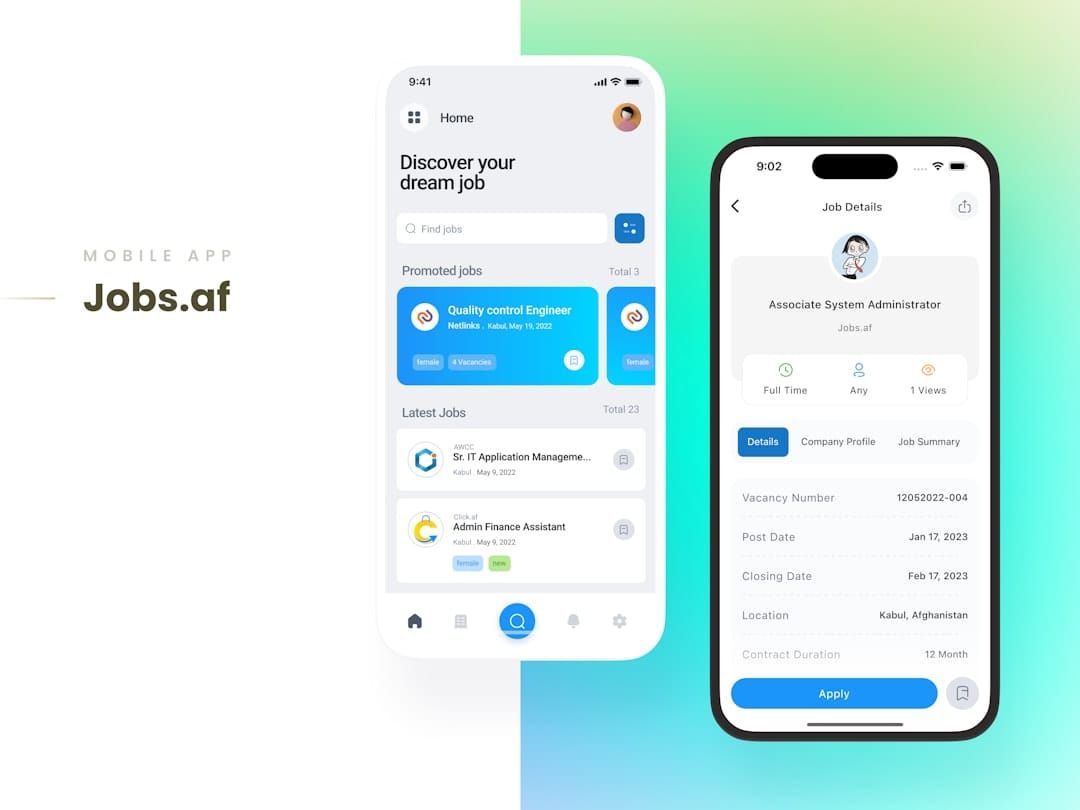
Table of contents
- What Is Lovable AI UI Design for Internal Tools?
- Diagnosing the 'Last Mile' Problem: Why Is Your AI App Being Ignored?
- Start With the 'Job to Be Done', Not the AI Capability
- Designing the Conversational Interface: From Blank Box to Guided Workflow
- Visualizing AI Outputs: How to Present Information Clearly and Actionably
- Building Trust Through Transparency and Feedback Mechanisms
- Creating a Consistent Experience with a Scalable UI Framework
- Onboarding for Adoption: The First Five Minutes Matter Most
- Iterating Your AI UI Based on Real Employee Feedback
- Measuring Success: Metrics That Prove Your Lovable UI Is Working
- Conclusion and Next Steps
- Frequently Asked Questions
- Additional Resources
You've built a powerful internal app with an AI core, designed to revolutionize how your team works. The problem? Nobody's using it. This is the 'last mile' problem of AI adoption, where powerful technology fails not because it's weak, but because it's confusing. This guide focuses on fixing that by exploring lovable AI UI design—the art and science of creating intuitive interfaces and guided prompts that turn your internal tool from a ghost town into a go-to resource.
- Define the user's single most important 'job to be done' and design the entire AI interaction around completing that task efficiently.
- Replace blank prompt boxes with guided inputs, offering examples, templates, and structured fields to help users get better results.
- Build trust by implementing clear feedback loops and showing the 'why' behind AI-generated content, such as data sources or confidence scores.
- Design a simple, high-value onboarding experience that demonstrates the app's core value to an employee in under five minutes.
- Focus usability metrics on task completion rates and user satisfaction, not just vanity metrics like daily logins.
- Start with a small, well-defined user group to test and refine the UI before a company-wide rollout to build momentum and advocacy.

What Is Lovable AI UI Design for Internal Tools?
Lovable AI UI design is about creating AI-powered applications that users not only tolerate but genuinely find helpful and easy to use. It's a combination of intuitive navigation, reliable performance, and a focus on accomplishing specific tasks efficiently. For internal enterprise tools, 'lovable' means reducing the cognitive load and time burden on employees, making their daily work simpler and more productive.
Lovable AI UI Design is the practice of creating interfaces for AI-powered applications that are so intuitive and effective they foster user trust, encourage adoption, and seamlessly integrate into daily workflows.

Diagnosing the 'Last Mile' Problem: Why Is Your AI App Being Ignored?
The most common reason an AI-powered internal application fails to gain traction is a poor user interface, regardless of the AI's underlying power. Users are often deterred by an intimidating blank prompt box, unclear or unusable outputs, and a general lack of trust in the AI's suggestions. This leads to low adoption rates, leaving your investment in AI technology underutilized.
Consider these common failure points:
- The 'Blank Page' Syndrome: An empty prompt box can be overwhelming, leading users to guess what to type or abandon the task altogether.
- Confusing Outputs: AI-generated text or data that is poorly formatted, lacks context, or is difficult to interpret will quickly frustrate users.
- Lack of Trust: Without transparency about how the AI works or why it produced a certain output, users may be hesitant to rely on its suggestions.
- Unnecessary Training: If employees require extensive training simply to use the basic functions of the app, adoption will likely be low.
- Difficulty Editing or Rejecting Output: Users need control. If they cannot easily modify or discard AI-generated content, they will feel disempowered and less likely to engage.

Start With the 'Job to Be Done', Not the AI Capability
Many internal tools fail because they are designed around what the AI can do, rather than what the employee needs to do. The focus should always be on the user's primary task and how the AI can facilitate its completion more effectively than existing methods. Understanding your employees' daily challenges and workflows is critical to building a truly useful AI application.
To uncover these needs, conduct direct interviews with your target users. Ask them to walk you through their current processes for specific tasks. For instance, if you're building an AI to help with sales report generation, ask a sales representative to demonstrate how they currently compile such reports. Map out each step, identify bottlenecks, and pinpoint exactly where an AI could provide the most significant time savings or improvement in quality.
The workflow for summarizing a sales report, for example, should be streamlined by the AI, not complicated. A user-centric workflow would take an employee from identifying the need for a summary directly to receiving a well-formatted, actionable output. In contrast, an AI-first approach might involve the user needing to find specific data points, craft a complex prompt, and then manually process the AI's raw output.
Designing the Conversational Interface: From Blank Box to Guided Workflow
The single biggest hurdle for many generative AI applications is the intimidating blank text input field. Users often feel pressured to be 'prompt engineers' and may not know where to begin. To overcome this, transform the simple prompt box into a guided workflow that leads users toward a successful outcome.
Implement strategies that simplify prompt creation: use structured forms with clear labels for specific inputs, provide clickable suggestions or pre-defined options, and offer tiered complexity modes (e.g., a "simple" mode for quick tasks and an "advanced" mode for more nuanced requests). Showing concrete examples of successful prompts can also demystify the process and set user expectations.
For example, instead of a user typing "Create a marketing plan," a guided workflow would present fields such as "Target Audience" (with dropdown options like "Small Businesses" or "Enterprise Clients"), "Key Product/Service" (a text input), and "Desired Tone" (options like "Formal," "Enthusiastic," or "Informative"). This structured approach ensures the AI receives the necessary context to generate a relevant and useful marketing plan.
Visualizing AI Outputs: How to Present Information Clearly and Actionably
An AI's response is only as good as its presentation; if it's difficult to understand, verify, or act upon, users will likely ignore it. Focus on making AI-generated content immediately digestible and actionable through thoughtful visualization and formatting.
Employ best practices for displaying AI content: use clear headings and subheadings to break up text, highlight key entities or data points using bold text or distinct styling, and provide attribution or links to data sources when possible. Including confidence scores can also help users gauge the reliability of the AI's output.
Consider the difference between a dense, unformatted block of AI-generated text and a well-designed output. The latter might feature distinct sections for different aspects of the AI's response, use bullet points for lists, and include clear buttons like "Copy to Clipboard" or "Export to Document." This visual clarity transforms raw data into usable information, increasing the likelihood of adoption.
Building Trust Through Transparency and Feedback Mechanisms
Users will only put their ultimate trust in an AI tool if they understand how it operates and can rely on its accuracy. Transparency is paramount. By showing users where the AI is getting its information and allowing them to participate in its learning process, you can foster a stronger sense of confidence.
Implement features that build trust, such as clearly displaying the data sources or research materials the AI used to generate its response (provenance). Allowing users to rate outputs with upvote/downvote buttons or provide quick feedback on incorrect or unhelpful suggestions creates a vital feedback loop. This mechanism not only improves user trust but also provides valuable data for refining prompts and, potentially, the AI model itself over time.
Creating a Consistent Experience with a Scalable UI Framework
As your internal AI application grows and incorporates more features, maintaining a consistent and intuitive user interface becomes crucial. A patchwork of different design styles and interaction patterns can quickly lead to a confusing and frustrating user experience. A scalable UI framework, often built around a design system, provides a unified look and feel across all parts of the application.
Tools can assist in generating a consistent component library—buttons, forms, modals, and other UI elements—that adheres to your company's branding and usability standards. This ensures that regardless of the AI's function, the user interacts with familiar and predictable interface elements.
An architecture that centers around a design system and a managed prompt library ensures that AI-generated applications maintain a cohesive user experience. This framework acts as the central source of truth for UI components and styling, which are then used by various functions within the AI app. This approach guarantees that features, whether they are about data analysis or content generation, all feel like part of the same well-designed tool.
Onboarding for Adoption: The First Five Minutes Matter Most
A user's initial encounter with your internal AI application is a critical determinant of whether they will continue to use it. A well-designed onboarding process should quickly demonstrate the app's core value proposition and empower the user to achieve a meaningful result within the first few minutes.
Focus on creating a "quick win" onboarding experience. This might involve starting with a pre-populated example that showcases the AI's capabilities, guiding the user through one high-value task, and immediately highlighting the time saved or benefit gained. This immediate demonstration of value is far more effective than generic feature tours that are often skipped or quickly forgotten.
Contrast this with typical onboarding that might present a lengthy series of screens explaining every feature. Such approaches often fail to connect with the user's immediate needs and can overwhelm them, leading to disengagement. A user who experiences a tangible benefit within minutes is far more likely to return and explore further.
Iterating Your AI UI Based on Real Employee Feedback
No AI UI design is perfect on the first attempt, and a truly "lovable" interface is one that evolves with user needs. Establishing a robust process for gathering and acting on employee feedback is essential for continuous improvement.
A practical, step-by-step approach to gathering qualitative feedback involves targeting a pilot group of users for in-depth interviews. Observe how they interact with the application, record their sessions to identify usability pain points, and consider implementing simple, in-app feedback forms for quick suggestions. This direct input from actual users provides invaluable insights that can uncover issues invisible during internal testing.
Categorize the feedback you receive into key areas: UI issues (e.g., confusing buttons, poor layout), prompt issues (e.g., AI not understanding requests, generating irrelevant content), and model issues (e.g., factual inaccuracies). This categorization helps prioritize fixes and ensures that improvements are targeted effectively towards enhancing the user experience.
Measuring Success: Metrics That Prove Your Lovable UI Is Working
The true measure of success for an internal AI tool isn't just how often it's opened, but how effectively it helps employees perform their jobs. Focus on metrics that directly reflect user engagement, task completion, and overall satisfaction.
Introduce key performance indicators (KPIs) that go beyond vanity metrics like daily logins. Essential KPIs for internal AI tool adoption include:
- Task Completion Rate (TCR): What percentage of users successfully complete their intended task using the AI application?
- Time on Task: How long does it take users to complete a specific task compared to previous methods? A reduction indicates efficiency gains.
- User Satisfaction (CSAT/NPS): Regularly survey users to gauge their overall satisfaction and likelihood to recommend the tool.
- Adoption Rate within Target Teams: Track the percentage of employees within specific departments or roles who are regularly using the application.
This AI Adoption Flywheel illustrates the iterative cycle of design, onboarding, measurement, and refinement that drives successful company-wide usage of internal AI tools.
Conclusion and Next Steps
Building an AI-powered internal application is only half the battle; ensuring employees actually use and benefit from it is the critical 'last mile.' By focusing on lovable AI UI design—making your interface intuitive, your prompts guided, and your AI outputs transparent and trustworthy—you can transform an underutilized tool into an indispensable asset. This approach shifts the focus from the technology itself to the human user, ensuring that AI truly enhances productivity and makes work easier for your team.
Here are concrete actions you can take today:
- Conduct User Interviews: Schedule brief meetings with 2-3 employees who would use your AI app and ask them to describe their workflow for a key task.
- Review Your Prompt Interface: Identify the most common entry point for users in your AI app and brainstorm ways to make it more guided, using examples or structured inputs.
- Map Out a Quick-Win Onboarding: Design a 2-minute walkthrough that shows a user how to achieve one valuable outcome with your AI app.
- Identify One Trust-Building Feature: Consider implementing a simple feedback mechanism, such as a 'Was this helpful?' button, or displaying the source of AI-generated information.
- Define Your Core Metrics: Decide on the 2-3 most important KPIs that will tell you if your AI app is truly successful in the eyes of your users.
Frequently Asked Questions
What is the biggest mistake when designing a UI for an internal AI app?
The most common mistake is providing a single, empty prompt box and expecting employees to become expert 'prompt engineers' on their own, instead of guiding them to a successful outcome.
Can a non-designer use these principles to improve their AI app?
Yes, emphasizing that lovable AI UI design is more about understanding the user's workflow and providing clear guidance than it is about advanced visual design skills. Focus on clarity and simplicity.
Which AI is best for making a UI design?
Tools like Lovable.ai are excellent for rapidly generating UI frameworks and components, while other tools might assist with wireframing or ideation. The best tool depends on the project's specific needs, but the principles of user-centricity apply to all.
Does a tool like Lovable.ai support existing company design systems?
While AI can generate new design systems, many platforms are designed to work with existing ones. A common workflow is to provide the AI with styles, components, or brand guidelines to ensure consistency with the company's established look and feel.
How can I convince leadership to invest in better UI/UX for an internal tool?
Frame the investment in terms of ROI: link improved UI to higher adoption rates, time saved per employee, and reduced errors. Present a business case focused on productivity gains, not just aesthetics.
How do you handle user errors when they input a bad prompt?
Instead of a generic 'error' message, provide specific suggestions, offer examples of good prompts, or link to a quick help guide for the most common issues.
What's the difference between a chatbot UI and a dedicated AI app UI?
A chatbot is purely conversational, whereas a dedicated AI app integrates the AI into a graphical user interface (GUI) with buttons, forms, and visual outputs, allowing for more complex, structured tasks.
What is 'prompt engineering' in the context of user interface design?
It is the designer's job to pre-engineer prompts on behalf of the user. The UI itself—with its forms, buttons, and guides—is effectively engineering the perfect prompt so the end user doesn't have to.
Can Lovable.ai be used specifically for internal enterprise apps?
Yes, its ability to quickly generate consistent UI frameworks and connect to internal backends (APIs, databases) makes it well-suited for building internal software, not just public-facing websites.
How do you build trust if the AI occasionally makes mistakes?
Acknowledge that AI is not perfect. Build trust by showing sources, displaying confidence scores, and making it extremely easy for a user to report a bad result or correct the information.


