
Beyond Spreadsheets: Build a Lovable AI Project Management App for Your Agency
If your servicebased business is drowning in spreadsheets to track client work, you've hit a ceiling. Spreadsheets are static, disconnected, and can't keep up with the dynamic needs of project and client management. This guide will show you how to move beyond them by using Lovable AI to build a...

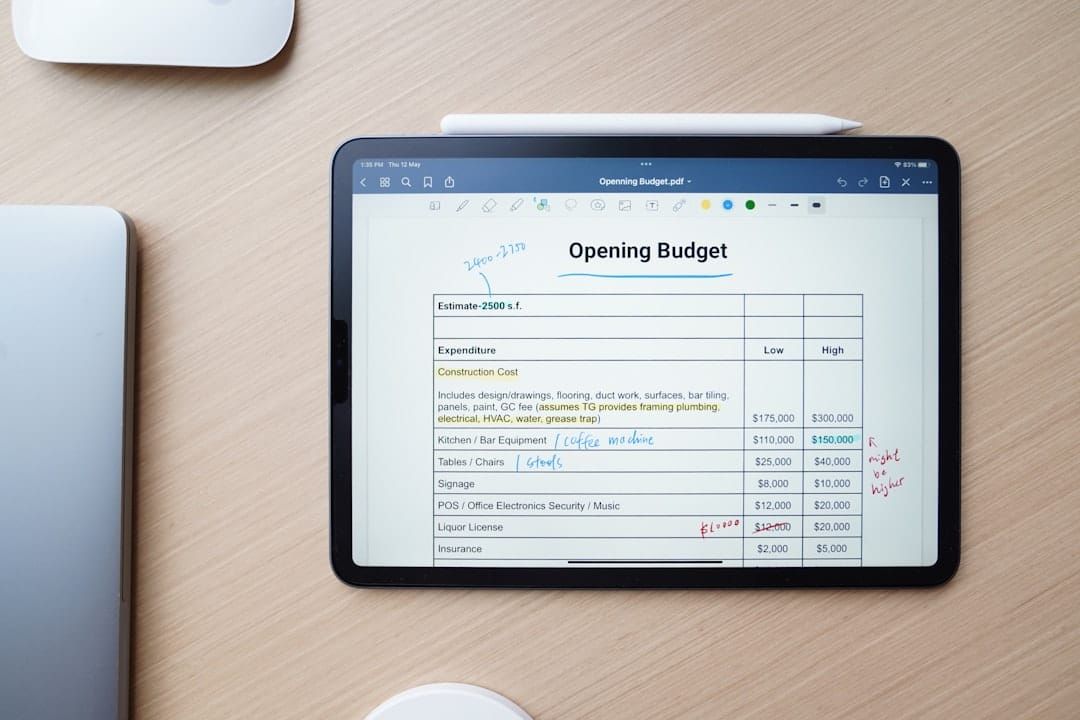
If your service-based business is drowning in spreadsheets to track client work, you've hit a ceiling. Spreadsheets are static, disconnected, and can't keep up with the dynamic needs of project and client management. This guide will show you how to move beyond them by using Lovable AI to build a simple, visual internal application for tracking client projects, milestones, and tasks—no code required. A Lovable AI project management app is a custom-built internal tool that uses artificial intelligence to help you visually track client projects, milestones, and tasks, replacing manual systems with an automated, intelligent platform.

Key takeaways
- Before writing a single prompt, map your entire project workflow on paper—from client request to final delivery.
- Define your core data needs first: What information must be tracked for every Client, Project, and Task?
- Use a simple, descriptive prompt in Lovable to generate your app's initial structure, including both an admin dashboard and a client-facing view.
- Incorporate at least one AI-native feature, such as AI-generated task breakdowns from a project scope or automated weekly progress summaries.
- Connect your Lovable app to a scalable database like Supabase to ensure your project data is stored securely and can grow with your business.
- Leverage Lovable's 'Select & Edit' feature to iteratively refine your user interface, adjusting layouts and adding fields without starting from scratch.

Table of contents
- Why Spreadsheets Are Failing Your Service Business
- What Is an AI-Powered Project Management System?
- Step 1: Blueprint Your Ideal Project Workflow
- Step 2: Structuring Your App's Backend Data
- Step 3: Generating the Core App with a Single Prompt
- Step 4: Customizing Your Kanban Boards and Project Views
- Step 5: Differentiating Between Admin and Client Portals
- Step 6: Integrating AI Features for Smarter Management
- Step 7: Deploying and Sharing Your New Internal Tool
- Comparing a Custom App vs. Off-the-Shelf Tools
- Conclusion and Next Steps
- Frequently asked questions
- Additional Resources
Why Spreadsheets Are Failing Your Service Business
Your agency's reliance on spreadsheets for project management is likely hindering growth and efficiency. Spreadsheets are not designed for the collaborative, real-time nature of client project management, leading to frustrating version control issues and disconnected data silos. They also lack the visual workflow capabilities common in modern project management tools, such as Kanban boards or timeline views, making it difficult to get a clear picture of project status at a glance.
As your client base and project complexity grow, these static documents become unwieldy, highly prone to errors, and ultimately, impossible to scale effectively. The incessant manual data entry required for tracking hours, milestones, and client feedback is not only time-consuming but also directly detracts from the billable client work you should be focused on.
What Is an AI-Powered Project Management System?
An AI-powered project management system is an intelligent tool that automates many of the administrative burdens associated with project oversight, offers predictive insights into potential issues, and serves as a centralized hub for all project-related information and activities. It leverages artificial intelligence to enhance features like intelligent task scheduling, providing recommendations for resource allocation, and even conducting risk assessments based on historical and current project data.
Unlike traditional project management tools that rely solely on manual input and predefined rules, an AI-powered system can generate comprehensive reports, automatically summarize project progress, and assist in breaking down large, complex projects into more manageable tasks without human intervention. The core components of such a system typically include a robust central database for storing all project information, a customizable front-end interface for user interaction, and AI-driven logic that powers automation and analytics.
Step 1: Blueprint Your Ideal Project Workflow
Before you even think about opening an AI tool, the most critical first step is to meticulously map out your agency's exact project stages and the desired workflow. This blueprint will serve as the foundation for your custom application.
Clearly define user roles and their required permissions early on. Consider exactly what an internal team member should see compared to what a client should have visibility into within their dedicated portal. Next, create a comprehensive list of all the essential data fields you need to track for projects, tasks, and clients—think Project Name, Client, Status, Due Date, Budget, Assigned To, and any custom fields relevant to your services. Finally, sketch out simple wireframes of your key screens: the main dashboard providing an overview, a detailed project page, and an individual task view.
Step 2: Structuring Your App's Backend Data
A successful and scalable application hinges on a well-structured database to store and manage all your critical information effectively. For this, using a service like Supabase, which provides a robust and developer-friendly backend, is an excellent choice.
Begin by creating three main tables (or collections) in your Supabase project: Projects, Tasks, and Clients. It's crucial to establish clear relationships between these tables. For example, each Task record should definitively belong to a specific Project, and each Project should be directly linked to a Client record. You'll also need to set up the data types for each field to ensure data integrity, such as defining 'Status' as text, 'Due Date' as a date type, and 'Budget' as a numerical value.
Here's a simplified architecture diagram of how your Lovable frontend would connect to your Supabase backend:
+-----------------+       +-----------------+       +-----------------+
|  Lovable AI     | <---> |   Supabase      | <---> |   Database      |
| (Frontend App)  |       |   (Backend)     |       |   (e.g., PostgreSQL) |
+-----------------+       +-----------------+       +-----------------+
        |                      ^
        |                      |
        | (User Interaction)   | (Data Storage/Retrieval)
        v                      |
+-----------------+
|   User/Admin    |
+-----------------+
Step 3: Generating the Core App with a Single Prompt
Lovable AI excels at generating a functional foundation for your application from a single, descriptive text prompt. This initial generation phase drastically reduces the time it would typically take to set up basic structures.
Craft a prompt that clearly outlines the key components you envision. For instance, you might use something like: "Create a project management app for a marketing agency. It should include a main dashboard displaying all active projects, a Kanban board for visualizing task progress, and a user-friendly form for adding new projects." Based on this input, Lovable will generate an interactive interface complete with placeholder pages and components, which you can then meticulously customize. Immediately review the generated app within Lovable's live preview to identify what works well and what areas require refinement.
Step 4: Customizing Your Kanban Boards and Project Views
The true value of your custom app will come from visualizing your project data in a way that is intuitive and highly beneficial for your team. Lovable's 'Select & Edit' feature allows for precise, on-the-fly adjustments to the AI-generated elements.
For instance, click on the generated Kanban board and instruct the AI, "Group tasks by 'Status' and display the 'Assignee' and 'Due Date' prominently on each task card." You'll also want to create a main project dashboard that presents projects in a list or grid view, offering high-level information such as overall progress percentages and budget status at a glance. Crucially, ensure you build out detailed forms for both creating and editing projects and tasks, ensuring these are correctly linked to your Supabase backend to ensure all data is saved properly.
Step 5: Differentiating Between Admin and Client Portals
You possess the capability to design distinct user experiences within the same application for your internal team and your external clients. This dual-access model enhances security and user-friendliness.
Design a comprehensive admin dashboard tailored for your team, providing an exhaustive view of all projects, tasks, and financial data across every client serviced by your agency. Concurrently, build a separate, significantly simplified client portal. This portal should be intelligently filtered to display only a specific client's projects and tasks, and importantly, include a dedicated form for them to submit new requests or inquiries. Implement robust user authentication and role-based access control to ensure that each user can only access the data they are explicitly permitted to see.
Step 6: Integrating AI Features for Smarter Management
To truly elevate your project management system beyond a basic CRUD (Create, Read, Update, Delete) application, integrate intelligent features that automate complex processes and provide actionable insights.
Consider integrating an AI model, such as GPT-4, to create a powerful feature that takes a new client request described in natural language and automatically generates a list of suggested, actionable tasks. You could also implement an "AI Summary" button directly on your project pages that, with a single click, generates a concise weekly progress report suitable for stakeholders.Furthermore, utilize AI to analyze historical task completion dates and proactively flag projects that are at risk of missing their deadlines, offering valuable predictive insights to prevent delays.
Step 7: Deploying and Sharing Your New Internal Tool
Lovable simplifies the process of taking your application from the development environment to a live, shareable tool that your entire team can immediately begin using.
Employ Lovable's one-click deploy feature to publish your application to a live web URL almost instantaneously. For a more professional and branded experience, connect your application to a custom subdomain, such as projects.youragency.com. Additionally, utilize the integrated GitHub functionality to automatically sync your application's code to a dedicated repository, providing a clear and accessible path for more advanced customization or future handoffs to specialized development teams.
Comparing a Custom App vs. Off-the-Shelf Tools
The decision of whether to build a custom solution with Lovable or purchase an off-the-shelf tool like Asana or Trello depends almost entirely on your agency's specific need for customization and workflow alignment. Off-the-shelf tools are generally quick to set up and offer a broad range of features, but they often force you to adapt your unique business processes to their rigid, predefined structures.
Building a custom application with Lovable, conversely, provides the unparalleled advantage of creating a tool that precisely matches your agency's unique business processes, data requirements, and desired user experience. For many service-based SMBs, the combined cost of a Lovable subscription and a scalable database service like Supabase can prove significantly more economical in the long run than the per-seat pricing models of many larger, more generic project management platforms.
Conclusion and Next Steps
You've learned how to transcend the limitations of spreadsheets by leveraging Lovable AI to build a sophisticated, custom project management application tailored specifically for your agency. This process empowers you to centralize project tracking, visualize workflows, and even incorporate intelligent AI features that automate tasks and provide analytical insights. By following the steps outlined, you can move from manual data handling to a dynamic, efficient, and scalable internal system.
Here are concrete actions you can take today to start your journey:
- Map Your Workflow: Grab a pen and paper and sketch out your current project lifecycle, identifying key stages, inputs, and outputs.
- Define Your Data Schema: List all the essential pieces of information you need to capture for clients, projects, and individual tasks.
- Draft Your First Prompt: Begin composing a descriptive prompt for Lovable AI that outlines the core features of your desired project management app.
- Explore Supabase: Create a free Supabase account to understand its database capabilities and how it can serve as your app's backend.
- Experiment with Lovable AI: Sign up for Lovable and begin experimenting with your first prompt to see your project management app take shape.
Frequently asked questions
Can AI do project management completely?
AI can act as a powerful assistant, automating repetitive tasks, providing data-driven insights, and streamlining workflows. However, strategic decision-making, nuanced client communication, and final accountability still require the oversight and expertise of a human project manager. AI enhances, rather than replaces, the human element in project management.
What is Lovable AI capable of for project management?
Lovable AI enables you to build custom, AI-powered project management applications without writing code. Its capabilities include generating a user interface from natural language prompts, creating visual workflows like Kanban boards, seamlessly integrating with databases such as Supabase, embedding AI-driven features for automation and analytics, and deploying a fully functioning web application.
Which AI is better than Lovable?
The "better" AI platform depends on your specific needs. While many tools specialize in deep backend logic or enterprise-grade features, Lovable excels at rapidly building user-friendly, AI-enhanced, full-stack web applications, making it particularly suited for SMBs and startups looking for a quick and visual development process.
Is a custom Lovable app better than Asana or Trello?
A custom Lovable app is better if your agency has a unique workflow that doesn't fit neatly into the templates of standard tools. Off-the-shelf tools are generally better for teams who need an immediate, more generic solution. The choice boils down to prioritizing perfect-fit customization provided by Lovable versus the plug-and-play convenience of established platforms.
How long does it take to build a basic PM app in Lovable?
You can typically generate and deploy a functional first version of a project management app, including a dashboard and basic task tracking, in under an hour. However, customizing it to perfectly align with your specific workflow and data needs may require several hours or days of iterative refinement.
Do I need to be a developer to build this app?
No, Lovable is designed specifically for users without coding knowledge. The development process relies on natural language prompts and a visual editor. While a basic understanding of concepts like databases and workflows can be helpful, it is not a prerequisite for building an application with Lovable.
What are the ongoing costs of running this app?
The primary ongoing costs involve your Lovable subscription fee and the expense of your chosen backend database service, such as Supabase. Fortunately, Supabase often provides a generous free tier sufficient for many small businesses, making the overall operational cost quite manageable.
Can my Lovable PM app integrate with other tools like Slack?
Yes, integrations are a key capability. You can build API integrations directly within Lovable, or leverage automation platforms like Zapier or Make to connect your custom app to thousands of other services, including Slack, Google Calendar, or Stripe.
How is client and project data secured?
Data security is a shared responsibility. Lovable ensures the security of the application itself, while the ultimate security of your data rests with the backend service you select (like Supabase). You retain control over access rules, authentication, and database security measures.
What are the main limitations of this approach?
While this approach is ideal for service-based SMBs, a Lovable-built app might not be suitable for highly complex, enterprise-level project management scenarios. These might include intricate Gantt chart dependencies, resource leveling across hundreds of employees, or requirements for deep regulatory compliance certifications that often necessitate specialized, feature-rich platforms or custom enterprise development.


