
AI & Automation for Small Business: 10 Use Cases to Save Time and Money
You've heard that AI is changing business, but you're busy running your company and don't have time for complex tech projects. The good news is you don't need to be a tech wizard to benefit. For small businesses, the most powerful 'AI' is simple automation—connecting the apps you already use to...


You've heard that AI is changing business, but you're busy running your company and don't have time for complex tech projects. The good news is you don't need to be a tech wizard to benefit. For small businesses, the most powerful 'AI' is simple automation—connecting the apps you already use to handle repetitive tasks for you. This guide breaks down 10 practical use cases you can set up today with tools like Zapier, Make.com, or Power Automate to free up your time and grow your business.
Key Takeaways: Your First Steps into Automation
- Start small: Identify one repetitive, boring task you do every week—like copying information between two apps—and make automating that your first goal.
- Pick a beginner-friendly tool: You don't need to code. Start with a platform like Zapier or Make.com that has a generous free plan and a simple visual interface.
- Focus on customer touchpoints: Automate a welcome email for new subscribers or a thank-une message after a purchase. These are easy wins that improve customer experience.
- Connect your money apps: Automate invoice reminders and expense logging to improve your cash flow and simplify your bookkeeping.
- Map it out first: Before you build, draw a simple line from App A (the trigger) to App B (the action). Knowing what you want to happen is half the battle.
Table of contents
- How Can I Automate Customer Service and Support?
- What Are the Best Ways to Automate Marketing and Lead Nurturing?
- How Can I Streamline My Sales Process with Automation?
- Can Automation Help Me Manage My Finances and Invoicing?
- How Do I Automate Repetitive Administrative Tasks?
- What's the Easiest Way to Get Started with Content Creation?
- How Can E-commerce Businesses Automate Inventory and Operations?
- Which Automation Tool is Right for My Small Business?
- Let's Build Your First Automation: A Step-by-Step Guide
- How Do All These Tools Actually Work Together?
- Conclusion and next steps
- Frequently asked questions
- Additional Resources
How Can I Automate Customer Service and Support?
You can automate customer service by setting up workflows that instantly create support tickets from new inquiries, automatically send satisfaction surveys after resolution, or use chatbots to handle frequently asked questions. For example, a new submission on your website's contact form can automatically trigger the creation of a ticket in your helpdesk software like Zendesk. This ensures no customer query falls through the cracks.
Another powerful automation is setting up a workflow to send a satisfaction survey via email 24 hours after a support ticket is closed. This helps you gather immediate feedback on your service. Additionally, you can deploy a simple chatbot on your website to answer common questions, and if a query is too complex, it can automatically send a notification to your Slack or Teams channel for human intervention. Furthermore, incoming support emails can be instantly categorized and tagged based on keywords, allowing your team to prioritize urgent requests more effectively.
What Are the Best Ways to Automate Marketing and Lead Nurturing?
Automating marketing and lead nurturing involves connecting your lead generation sources to your marketing platforms and setting up automated communication sequences. This ensures potential customers are contacted promptly and consistently without manual effort, laying the groundwork for stronger customer relationships. For instance, new leads generated from Facebook Lead Ads or a website form can be automatically added to your email marketing list in Mailchimp or ConvertKit.
You can create a workflow that sends a personalized welcome email series to new subscribers over several days, easing them into your brand's ecosystem. Syncing customer data between your e-commerce platform, like Shopify, and your CRM, such as HubSpot, allows for the creation of highly targeted marketing segments. To keep your audience engaged, automate social media by using a workflow to share your new blog posts across LinkedIn, Twitter, and Facebook as soon as they are published, ensuring your content reaches your audience without delay.

How Can I Streamline My Sales Process with Automation?
Streamlining your sales process with automation means connecting your lead management and CRM tools to automate prospect engagement and deal progression. This reduces administrative burdens on your sales team, allowing them to focus more on selling and less on data entry. For example, whenever a potential client books a meeting with you through Calendly, a new deal can be automatically created in your CRM.
You can set up reminders that notify sales reps in Slack when a deal has been stagnant in one stage of your pipeline for too long, prompting timely follow-up. Proposals can be generated and sent automatically when a deal is moved to the 'Proposal' stage in your pipeline, speeding up the closing process. Additionally, by connecting your email and phone systems, calls and emails can be logged to a contact's record in your CRM without any manual data entry, ensuring your CRM is always up-to-date.
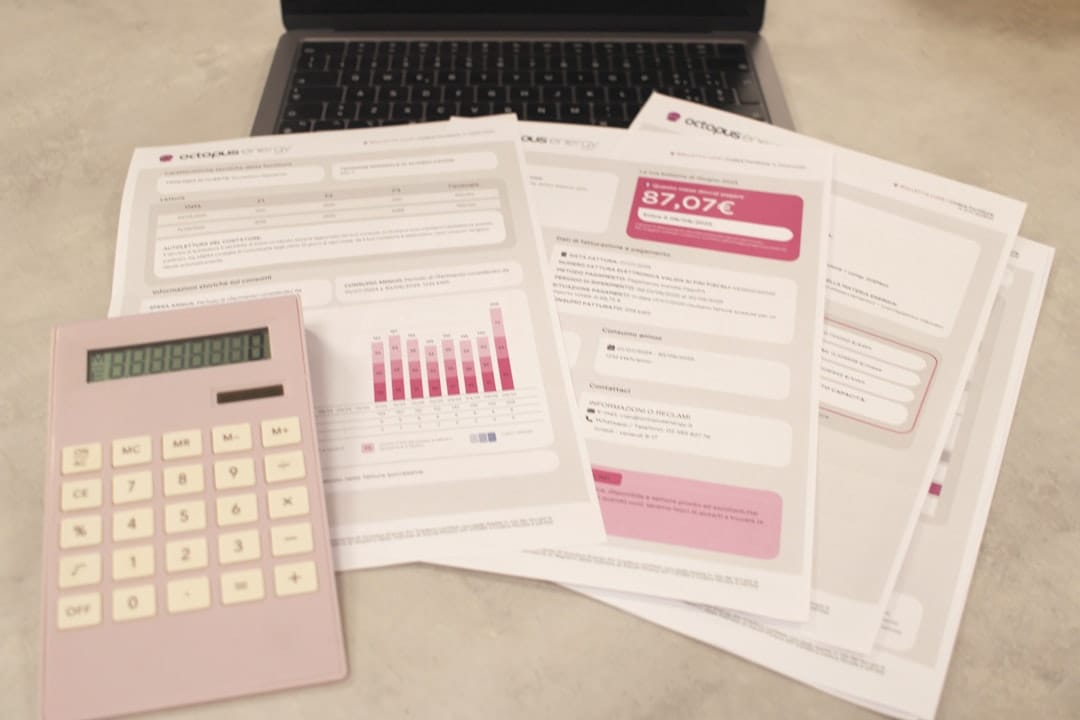
Can Automation Help Me Manage My Finances and Invoicing?
Automating your finances and invoicing can significantly improve cash flow, reduce errors, and save your accounting team countless hours. By connecting your accounting software and payment processors, you can create systems that handle reminders, track payments, and generate reports automatically. For instance, you can create a workflow to automatically send reminder emails for unpaid invoices directly from QuickBooks or Xero.
A practical automation is to instantly save all receipts received via email to a specific folder in Google Drive or OneDrive and simultaneously log the expense in a spreadsheet. Generating a monthly sales report can also be automated by pulling data from your payment processor, like Stripe or PayPal, directly into a Google Sheet. To improve cash flow visibility, you can set up a notification in a dedicated Slack or Teams channel whenever a new payment is received.

How Do I Automate Repetitive Administrative Tasks?
Automating repetitive administrative tasks frees up valuable time for your team to focus on more strategic and high-impact activities. By connecting common productivity tools, you can build workflows that handle data sorting, file organization, and information consolidation automatically. Save all attachments from specific emails, for example, those from 'invoices@client.com', to a designated Dropbox folder.
You can transcribe voice memos or meeting recordings and automatically save the text to a Google Doc for easy searching and future reference. To streamline team communication, collate weekly updates by having an automation ask for everyone's input in Slack every Friday and then compiling all the answers into a single, organized document. Syncing your project management tool, such as Trello or Asana, with your calendar ensures that new tasks with due dates are automatically added to your schedule, providing a clear overview of your workload.

What's the Easiest Way to Get Started with Content Creation?
Getting started with content creation can be easier with automation and AI tools that help brainstorm ideas, outline content, and even draft initial versions. This reduces the common hurdle of staring at a blank page and allows you to focus on refining and adding your unique voice. You can use AI tools like ChatGPT or Claude to brainstorm blog post ideas or create outlines based on a specific keyword or topic.
Once you have your ideas, set up an automation to populate a content calendar spreadsheet with these ideas, complete with draft deadlines, making planning a breeze. Simple social media graphics can be created efficiently by automating the process of adding your logo and a text overlay to images, maintaining brand consistency across platforms. To keep your content pipeline full, build a workflow that collects interesting articles from RSS feeds and adds them to a queue for you to review and potentially share on social media.
How Can E-commerce Businesses Automate Inventory and Operations?
E-commerce businesses can leverage automation to manage inventory, process orders, and communicate with customers more efficiently, reducing manual errors and improving customer satisfaction. Connecting your e-commerce platform with other business tools allows for seamless data flow, ensuring operations run smoothly even during peak times. Receive an automatic alert via email or text message when the stock for a product on your Shopify or BigCommerce store drops below a certain threshold, preventing stockouts.
Automatically add new customer information to your email list for post-purchase follow-ups and future marketing campaigns, ensuring no customer is missed. Create a workflow that prints shipping labels and notifies your fulfillment channel as soon as a new order is paid, speeding up delivery times. To prevent overselling, sync your inventory levels across multiple platforms, such as your website and an Etsy shop, ensuring stock accuracy everywhere.
Which Automation Tool is Right for My Small Business?
Choosing the right automation tool depends on your technical comfort level, budget, and the specific apps you need to connect. Platforms like Zapier and Make.com are popular for their user-friendly interfaces and extensive app marketplaces, while Power Automate offers deep integration within the Microsoft ecosystem. Each has its strengths, making one a better fit than another based on your unique needs.
In terms of ease of use, Zapier is often considered the most beginner-friendly, with a straightforward visual builder and a vast library of pre-built templates. Make.com also offers a visual approach but with more advanced features for complex workflows. Power Automate is particularly strong if your business already relies heavily on Microsoft products like Office 365, Teams, and Dynamics, but it also connects to hundreds of other popular apps. For those needing more control or the option for self-hosted solutions, n8n provides a powerful, open-source alternative, though it may have a steeper learning curve.
| Feature | Zapier | Make.com (formerly Integromat) | Microsoft Power Automate | n8n |
|---|---|---|---|---|
| Ease of Use | Highly beginner-friendly | Moderate, visual flow builder | Moderate, integrates with Microsoft | Moderate to advanced, node-based |
| App Integrations | Extensive (+) | Extensive (+) | Extensive, strong Microsoft focus | Growing, open-source community |
| Pricing Model | Per-task pricing | Per-operation pricing | Tiered plans, often bundled with Microsoft 365 | Free open-source, paid cloud version |
| Best For | Simple automations, quick setup | Complex, multi-step workflows | Microsoft ecosystem users | Technical users, customizability |
A key consideration is the number of app integrations each platform offers; Zapier boasts an exceptionally large library. Compare pricing models: Zapier's per-task pricing can add up with high volume, while Make.com's per-operation model might be more cost-effective for frequent but shorter tasks. If you're heavily invested in the Microsoft ecosystem, Power Automate offers significant value.
Let's Build Your First Automation: A Step-by-Step Guide
The best way to understand automation is to build one. We'll walk through a common and highly useful scenario: automatically saving invoice attachments from your Gmail inbox to a Google Drive folder. This process, repeatable with most automation platforms, demonstrates the core principles of triggers and actions.
To start, choose your preferred automation tool (like Zapier, Make.com, or Power Automate). The first step is to define the trigger—the event that will start your automation. In this case, the trigger is a new attachment arriving in a specific Gmail inbox, perhaps from a particular sender or with a certain subject line.
Next, you'll define the action, which is what you want to happen as a result of the trigger. Here, the action is to upload the attached file to a designated folder in your Google Drive. The automation platform will then guide you through mapping the data: telling it to take the attachment from the Gmail trigger and use it as the file to be uploaded in Google Drive. After setting this up, you can test the automation to ensure it works as expected before turning it on.
How Do All These Tools Actually Work Together?
Automation platforms act as the central hub, or "switchboard," that connects your various applications, allowing them to communicate and trigger actions without needing direct integrations between each one. This architecture means your software stack becomes more flexible, as you can swap out individual apps without disrupting your entire automated workflow.
For example, a single trigger, such as a new sale in your e-commerce platform like Shopify, can initiate a chain reaction. This might include creating an invoice in QuickBooks, sending a confirmation email via Mailchimp, and posting a notification in your team's Slack channel. The automation tool orchestrates these actions, ensuring your business processes flow smoothly across disconnected services. This interconnectedness is powerful because it allows you to build custom workflows tailored to your business's unique needs.
Conclusion and next steps
You've explored 10 practical ways small businesses can leverage automation and AI tools to save time, reduce costs, and improve efficiency. From streamlining customer service and marketing to managing finances and administrative tasks, these technologies are no longer exclusive to large enterprises. By connecting the apps you already use with platforms like Zapier, Make.com, or Power Automate, you can empower your business to operate smarter, not harder.
The key is to start with a clear understanding of your pain points and tackle them one by one. Don't get overwhelmed by the possibilities; pick a single, repetitive task that consumes your time and focus on automating that first. The immediate time savings and increased accuracy will build your confidence and demonstrate the tangible benefits of automation.
Here are your concrete next steps:
- Identify one repetitive task: Think about your daily or weekly routine. What's the most tedious, time-consuming task you wish you didn't have to do? This is your ideal starting point.
- Choose a beginner-friendly automation tool: Sign up for a free trial on Zapier or Make.com. These platforms are designed for non-technical users and offer extensive resources to help you get started.
- Find a template for your task: Browse the template libraries of your chosen tool. You'll likely find pre-built workflows that match the task you identified.
- Connect your apps and test: Follow the prompts to connect the accounts involved in your task (e.g., Gmail and Google Drive) and test your automation.
- Monitor and refine: Once your automation is running, check in to ensure it's working correctly and make any necessary adjustments to optimize its performance.
Frequently asked questions
What is a simple example of a business use case for automation?
A common example is automating lead management. When someone fills out a contact form on your website (App A), a workflow automatically creates a new contact in your CRM (App B) and sends a notification to your sales team's Slack channel (App C). This ensures leads are captured and followed up on promptly without manual intervention.
What are the common challenges of automation for small businesses?
The biggest challenges are often perceived complexity, cost concerns, and not knowing where to start. Many business owners are too busy to learn a new tool, even one that will ultimately save them time.
Can automation and AI replace my employees?
No, the goal is not to replace people but to augment them. Automation handles the repetitive, low-value tasks (like data entry), freeing up your team to focus on high-value work like customer relationships, strategy, and creative problem-solving.
What's the main difference between Zapier and Make.com?
Zapier is known for its simplicity and vast number of app integrations, making it great for beginners. Make.com offers more complex, visual workflows and a more generous pricing model for high-volume tasks, but has a slightly steeper learning curve.
Is Power Automate only useful if I use Microsoft products?
While Power Automate has the tightest integration with the Microsoft 365 ecosystem (Excel, Outlook, Teams), it also connects to hundreds of non-Microsoft apps like Google Drive, Slack, and Twitter. It's a strong contender if your business already runs on Microsoft.
How much do these automation tools cost?
Most platforms, including Zapier, Make.com, and n8n, offer free tiers that are perfect for getting started with simple, low-volume automations. Paid plans typically start around $20-$30 per month and scale up based on usage.
What is a 'workflow', 'Zap', or 'scenario'?
These are all terms for a single automated process. It consists of a 'trigger' (an event that starts the automation) and one or more 'actions' (the tasks the automation performs).
Do I need to be a developer to use a tool like n8n?
n8n is designed to be more powerful and flexible, which can appeal to developers. However, it also has a visual, node-based interface that non-technical users can learn. For a self-hosted, more customizable option, it's very powerful, but Zapier is easier for absolute beginners.
How do I get started with automation if I'm not technical at all?
Start with a pre-built template. All major platforms have libraries of popular workflows (e.g., 'Save Gmail attachments to Google Drive'). Find one that connects two apps you use, click 'Use Template,' and just connect your accounts.
What are the 5 most common uses for AI in small business?
Beyond automation, the most common uses are: 1) AI-assisted content creation (writing emails/posts), 2) intelligent customer service chatbots, 3) personalized marketing recommendations, 4) financial analysis and forecasting, and 5) data analysis for sales trends.


