
A Lovable AI Tutorial for Business: Build Your First Internal App This Afternoon
Stop wrestling with spreadsheets and paying for software that doesn't quite fit. This tutorial shows you, a nontechnical business owner, how to build the exact internal tool you need without writing a single line of code or hiring a developer. Lovable AI is a platform that transforms your...


Stop wrestling with spreadsheets and paying for software that doesn't quite fit. This tutorial shows you, a non-technical business owner, how to build the exact internal tool you need—without writing a single line of code or hiring a developer. Lovable AI is a platform that transforms your plain-English descriptions into fully functional applications, letting you solve real business problems in hours, not months. We'll guide you step-by-step through building a custom project tracker from scratch.
Key takeaways: Build Your App Today
- Identify one small, repetitive task in your business that causes friction; this is the perfect candidate for your first Lovable AI app.
- Write a simple, clear description of your app's purpose and key features, just as you would explain it to a new employee.
- Use Lovable's chat interface to generate the initial version of your app, focusing on the core function before adding complexity.
- Connect your app to a simple data source, like a Google Sheet or an included Supabase database, to make it dynamic and useful.
- Test your app with your team immediately and use their feedback to iteratively refine the features and user experience within Lovable.
- This iterative process—describe, generate, test, refine—is the core framework for building powerful internal software without a technical background.

Table of contents
- Why Use Lovable AI Instead of Other Options?
- How Do You Plan a High-Value First App Project?
- What's the First Step in the Lovable Platform?
- How Do You Write the Perfect Prompt to Build Your App?
- How Does Lovable Turn Your Text into a Real App?
- How Do You Connect and Manage Your App's Data?
- How Do You Test and Refine Your New Internal Tool?
- How Do You Add User Logins and Other Advanced Features?
- How Do You Deploy Your App So Your Team Can Use It?
- What Are the Next Steps for Maintaining Your App?
- Conclusion and next steps
- Frequently asked questions
- Additional Resources
Why Use Lovable AI Instead of Other Options?
Lovable AI offers the fastest path from an idea to a working internal tool by removing the need for coding or complex configuration. This platform democratizes software development, making it accessible to anyone with a business idea, not just those with technical skills.
Lovable AI contrasts sharply with traditional methods. Custom development is robust but prohibitively expensive and time-consuming for many small businesses. Off-the-shelf Software-as-a-Service (SaaS) solutions offer convenience but often lack the specific functionality or branding a business needs, forcing compromises. Lovable AI bridges this gap by offering a high degree of customization at a speed and cost point that makes sense for SMBs.
| Feature | Lovable AI | Custom Development | Off-the-Shelf SaaS |
|---|---|---|---|
| Time to Build | Hours to days | Weeks to months | Ready immediately |
| Cost | Low upfront, ongoing credits/subscription | High upfront, potentially higher ROI | Recurring subscription fees |
| Customization | High, tailored to exact business needs | Highest, fully bespoke | Limited, configurable options |
| Technical Skill | None required | Expert developers needed | Minimal, user-friendly |
| Use Case | Internal tools, niche applications, MVPs | Complex enterprise solutions | General business problems |
For instance, building a custom project tracker for your business could take three months and cost upwards of $50,000 with a traditional development team. A generic project management SaaS tool might cost $50 per user per month, but it might lack a critical feature you need for managing client specifics. With Lovable AI, you can describe your ideal project tracker and have a functional, tailored version ready in a single afternoon.
How Do You Plan a High-Value First App Project?
You should choose a simple, high-impact process that currently relies on messy spreadsheets, emails, or manual data entry. Identifying these pain points is the first step to leveraging AI for significant business improvement. A well-chosen initial project can save time, reduce errors, and improve overall efficiency for your team.
Common business pains often involve repetitive tasks. Consider client onboarding checklists, where every new client needs the same set of actions performed. Content approval pipelines can become bottlenecks if managed through endless email chains. Simple inventory tracking, especially for small businesses or specific departments, can lead to stockouts or overstocking if not managed effectively. A custom project management tool can streamline tasks, deadlines, and communication.
The key is to define your Minimum Viable Product (MVP). What is the absolute simplest version of this tool that would still provide significant value? For our project tracker example, the MVP might include just three core features: first, a simple form to add a new project, detailing its name, client, and due date. Second, a dashboard or list view to see all active projects at a glance. And third, a straightforward way to update a project's status, such as "Not Started," "In Progress," or "Completed." Starting with this focused scope ensures you can build and deploy quickly, then iterate based on real user feedback.

What's the First Step in the Lovable Platform?
The first step is to create a free account and start a new project, which immediately drops you into the main chat-based build interface. This interface is designed to be intuitive, allowing you to start building your application with simple text commands right away.
After navigating to the Lovable website, you'll find a straightforward sign-up process. Once your account is active, you'll be presented with a dashboard where you can initiate your first project. Clicking "Create New Project" will instantly load the core building environment. This environment is comprised of a few key areas: the prominent chat or prompt window where you'll interact with the AI, a live preview canvas that updates in real-time as your app is built, and a panel for managing data and settings. The chat window is your primary command center; everything from initial conceptualization to feature refinement happens here.
How Do You Write the Perfect Prompt to Build Your App?
You write the perfect prompt by describing your app's components and functions in simple, specific, action-oriented language. Think of it like explaining the app to a new team member who needs to understand precisely what to build. The more clarity and detail you provide, the better the AI can translate your vision into functional code.
Using a "role-playing" approach can be very effective. Start by telling the AI what role it should adopt. For example, "You are an expert app builder. Create an app for me called ProjectFlow. It needs a main page that shows a list of projects." This sets the context for the AI. Then, be specific about the user interface elements and data fields. If you're building a form to add a new project, specify what information is needed: "When adding a new project, I need fields for Project Name (text), Client Name (text), Due Date (date), and Status (dropdown with options: Not Started, In Progress, Completed)."
Here's a multi-sentence prompt example for the project tracker app we're building: "You are an AI app developer. Build me a project management application named 'TaskMaster'. The main page should display a table of all current projects. Each project in the table needs to show its name, the associated client, its due date, and its current status. Below the table, there should be a button to 'Add New Project'. When 'Add New Project' is clicked, a modal should appear with input fields for Project Name (text), Client Name (text), Due Date (date picker), and Status (dropdown: 'Not Started', 'In Progress', 'Completed'). The modal should have a 'Save Project' button."

How Does Lovable Turn Your Text into a Real App?
Lovable interprets your prompt to generate the front-end user interface and the back-end database structure simultaneously. This means that as you describe the visual elements and the data your app needs, the AI doesn't just create a placeholder; it builds the underlying architecture required to make it functional.
Imagine your prompt as the blueprint. The Lovable AI reads this blueprint and then constructs the building. This process involves generating the user-facing components (the front-end, often built with modern frameworks like React) and setting up how and where your data will be stored and managed (the back-end database, frequently integrated with services like Supabase). This creates a cohesive, working application from a single set of instructions, eliminating the need to sync separate front-end and back-end developers.
After you submit your initial prompt, what you'll see is a live, interactive preview of your app appearing in the canvas. This isn't a static mockup; it's a real, functioning web application. If you asked for a form, you can click it and see the fields appear. If you asked for a list, you'll see it populated (or ready to be populated) with data. This instant tangible output is a core part of Lovable's power, allowing you to see and interact with your creation immediately.
How Do You Connect and Manage Your App's Data?
Your app's data is automatically stored and managed in a Supabase database that Lovable creates for you behind the scenes. This means you don't need to set up or configure any complex database systems yourself. Supabase acts as a powerful, intelligent spreadsheet specifically designed to power applications, making data management straightforward.
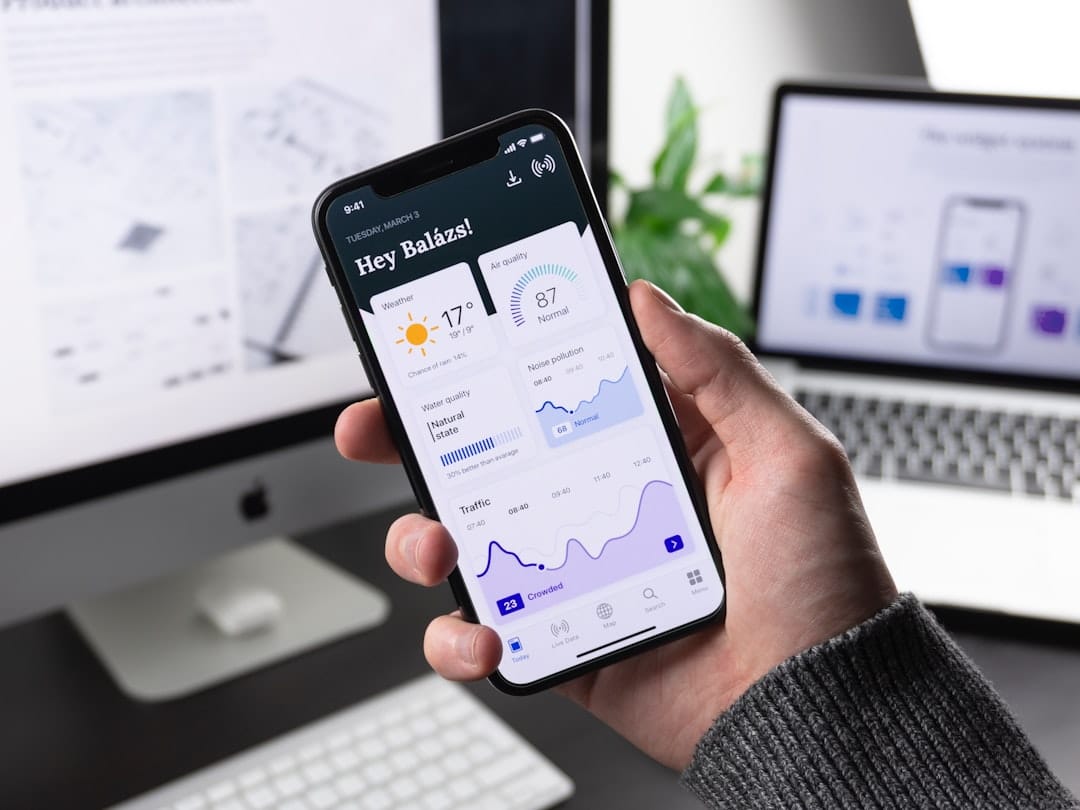
When Lovable generates your app based on your prompt, it also defines and creates the necessary database tables. For our project tracker, this would be a "Projects" table with columns corresponding to the fields you requested, like projectName, clientName, dueDate, and status. You can easily access and manage this data directly within the Lovable platform. Navigate to the "Data" tab, and you'll see the database table(s) that were created. This provides transparency and control over your application's information.
To see the dynamic nature of your application, you can manually add a test entry directly into the data table. For example, in the "Projects" table, you could add a new row with a project name like "Website Redesign," a client "Acme Corp," a due date, and a status. Once you save this entry in the Supabase interface, watch the app preview: the new project will instantly appear in your project list, demonstrating the real-time connection between your data and your application's user interface.
How Do You Test and Refine Your New Internal Tool?
You test your tool by using the interactive preview, and you refine it by sending new chat prompts with instructions for changes. This iterative process is fundamental to building effective software. You don't need to be a coder to make improvements; you simply tell Lovable AI what you want to change.
The development cycle with Lovable follows a clear loop: Generate, Test, Refine. You start by generating the initial app using a prompt. Then, you thoroughly test all its features in the live preview. As you test, you'll inevitably identify areas for improvement or bugs. You then write a new prompt to address these issues. For example, if a button isn't working as expected, you'd prompt: "The 'Add New Project' button is not opening the modal. Please fix this."
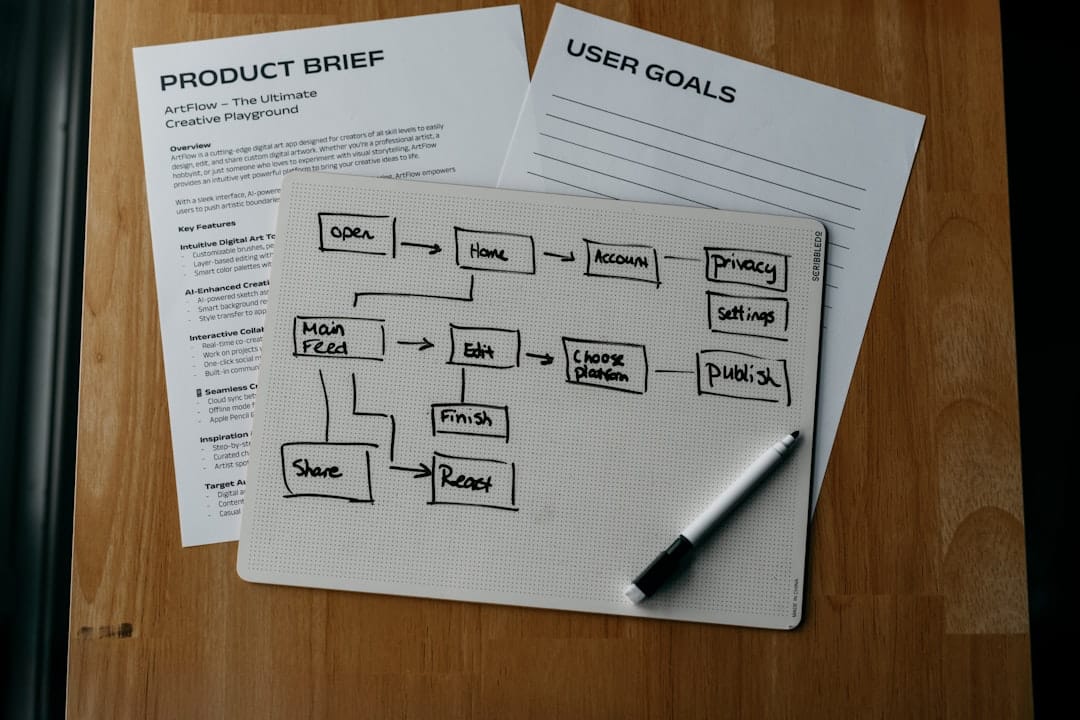
This refinement cycle can be visualized as a workflow. The process begins with writing your initial prompt. The AI generates the app. You then test it in the preview. If you find an issue or an opportunity for a new feature, you write a new prompt to fix or add it. The AI then updates the app, and you test again. This continuous loop allows you to gradually enhance your application based on practical use. For instance, you might refine the status dropdown by asking, "Change the project status to use color-coded tags for better visual distinction," or add functionality with "Add a search bar to the top of the project list so users can quickly find projects," or improve organization by saying, "Sort the projects by the due date, with the soonest tasks appearing first."
How Do You Add User Logins and Other Advanced Features?
You can add features like user authentication or email notifications by asking the AI to integrate pre-built components. Lovable leverages existing, robust services to incorporate these advanced functionalities without requiring you to understand the underlying code. This means you can secure your application and add sophisticated communication features with simple instructions.
To add user accounts, you’d provide a prompt like: "Add user sign-up and login functionality to the application. Ensure that only logged-in users can view or add projects. Please integrate this with the database." Lovable often uses services like Clerk for authentication, which handles the complexities of user management and security protocols, allowing you to simply request the feature. This abstracting of complex back-end processes is a key benefit for non-technical users.
Beyond authentication, you can prompt for other advanced integrations. For example, you might ask: "When a project's status is updated to 'Completed', automatically send an email notification to the project owner." Lovable can be instructed to integrate with email services (like Resend or SendGrid) to facilitate these automated communications, adding significant value to your internal tool.
How Do You Deploy Your App So Your Team Can Use It?
You deploy your app by clicking the 'Publish' button, which makes your app live on the web with a unique URL. This one-click deployment process is designed for maximum simplicity, removing a significant barrier for non-technical users who want to share their creations.
Once you're satisfied with your application's current state, you'll find a prominent "Publish" button, usually located in the top-right corner of the Lovable interface. Clicking this button initiates the deployment process. Lovable then takes your configured app and makes it accessible via a unique, shareable URL. This URL can be distributed to your team members, clients, or anyone else who needs to access the application.
Beyond the basic URL, Lovable often provides options for further customization at the deployment stage. This can include setting up a custom domain if you wish to brand your app with your company's domain name (e.g., app.yourcompany.com instead of a generic Lovable subdomain). Importantly, when you make further changes and republish your app, the live version is updated instantly for all users accessing it through the published URL, ensuring everyone is always working with the latest version.
What Are the Next Steps for Maintaining Your App?
Maintaining your app involves periodically gathering feedback from your team and using the refinement workflow to make updates. Think of your internal app not as a finished product, but as a living tool that can evolve with your business. Regular check-ins and iterative improvements will ensure it remains valuable.
It's a good practice to treat your internal app like any other business process: review its effectiveness quarterly. Schedule a brief meeting with the team members who use the app to ask about their experience. Are there new pain points they've encountered? Are there features they wish it had? Their direct feedback is invaluable for guiding future development.
When considering significant new features or changes, Lovable often allows you to duplicate an existing app. This provides a safe sandbox environment where you can test major updates without affecting the live version. Once you're confident the new features work well and have received positive feedback, you can then publish the updated version. You might also consider scaling your efforts by building a second app for a different department or adding more complex analytics to your existing app to gain deeper insights into its usage.
Conclusion and next steps
You've learned how to leverage Lovable AI to transform your business ideas into functional internal applications without needing to write a single line of code. By understanding the platform's prompt-based development, data management through Supabase, and the iterative refinement process, you are now equipped to solve real business problems with custom software.
From identifying a core business need to describing your app with clear prompts, connecting data, and finally deploying your creation, you've seen a complete end-to-end workflow. This empowers you to build tools that directly address your unique operational challenges, leading to increased efficiency and innovation within your small business.
Here are your concrete next steps to get started today:
- Identify your target: Pinpoint one repetitive, time-consuming task or process in your business that could be streamlined with a simple application.
- Start a Lovable AI account: Visit lovable.dev and sign up for a free account to begin exploring the platform.
- Draft your first prompt: Write a clear, detailed prompt describing the app you want to build, focusing on its core functionality as discussed in this tutorial.
- Generate and Iterate: Submit your prompt, review the generated app in the live preview, and use further prompts to add or refine features based on your needs.
- Publish and Share: Once satisfied, deploy your app with a single click and share the URL with your team for them to use and provide feedback.
Frequently asked questions
How much does Lovable AI cost for a small business?
Lovable AI offers a free plan with limited daily credits, which is great for initial experimentation. For more extensive use and private projects, their Pro plan is available around $25 USD per month, offering a higher credit allowance and custom domain support. All plans operate on a credit-based system for AI actions, so pricing can scale with usage, particularly during intensive development and debugging phases.
Is the data I put into my internal app secure?
Yes, the data within your Lovable AI applications is generally secure. Lovable utilizes industry-standard backend services like Supabase, which provides robust security features for database management and authentication. Lovable adheres to data privacy principles, and you retain ownership of the data generated by your applications.
Can I connect Lovable AI to other software I already use, like Google Sheets or Slack?
Yes, Lovable AI supports integrations with other software. You can prompt the AI to generate code that interacts with external APIs. For example, you could ask Lovable to create a workflow that pulls data from a Google Sheet into your app or sends notifications to Slack when a project status changes.
What happens if I get stuck or the AI doesn't understand my prompt?
If you encounter issues, the first step is to rephrase your prompt. Try to be simpler, more direct, and break down complex requests into smaller, manageable steps. Lovable also offers documentation and community support channels where you can find guides and ask for help if the AI struggles to interpret your instructions.
How is this different from using a template on a platform like Notion or Airtable?
While Notion and Airtable offer pre-built templates that can be customized, Lovable AI allows you to build completely bespoke logic and user interfaces from scratch based on your exact requirements. Instead of adapting a template, you're generating a unique application that perfectly matches your specific business workflow and needs.
Do I need to know how to code to debug my app?
No, debugging in Lovable AI is also done through prompts. Instead of reading error messages and writing code to fix them, you describe the problem to the AI. For instance, you might say, "The 'Save Project' button isn't working after I fill out the form," and the AI will attempt to self-correct the code based on your description.
Can my team use the app on their mobile phones?
Yes, the web applications generated by Lovable AI are responsive and designed to work across various devices. When you publish your app, it can be accessed directly through a web browser on desktops, tablets, and smartphones, allowing your team to use it on the go.
Who owns the app I build?
You own the intellectual property of the application you build with Lovable AI. While Lovable provides the platform and AI to facilitate creation, the app and its underlying logic are yours. It's always advisable to review Lovable's terms of service for the definitive details on ownership.
How many users can I have on my internal app?
User limits for your Lovable AI applications are typically determined by your subscription plan. For internal tools, the focus is often on the number of apps you can build or the credits you consume, rather than a strict per-user limit for end-users accessing the application. Check Lovable's pricing tiers for specific details on user access.
Can I export my app or my data if I decide to leave Lovable?
Since Lovable uses standard technologies like Supabase for its backend, your data is typically exportable. This means you can retrieve your database contents if you ever need to migrate. Lovable may also offer options to export the code for your application, allowing for greater flexibility if you decide to move to a different development environment.
Additional Resources
Watch
- Master Lovable AI in 20 Minutes (NEW 2.0 UPDATE) — Lovable is an AI platform that allows you to create websites apps or virtually anything you can think of by just generating a few prompts.


